A NAS (Network Attached Storagein French « network storage server ») is a dedicated storage device, connected to the local network, which makes files available to several computers and terminals at the same time. Easy to administer and moderately expensive, it appeals to both individuals and small businesses.
Summary
- A NAS is a dedicated storage device, connected to the local network, that shares files between multiple devices.
- It functions as an optimized file server: it communicates via protocols such as SMB, NFS or FTP and controls data access per user.
- RAID levels (RAID 0, 1, 5, and 10) determine the tradeoff between throughput, usable capacity, and failure protection; Regular backups are still recommended.
- An entry-level NAS costs less than 200 euros, a professional model several thousand euros; Power consumption remains low thanks to sleep mode.
- Configuration is done in the browser; depending on the model, the NAS can also serve as a print, Web, FTP or email server.
The basis of teamwork is being able to have the same files on different computers. Many companies therefore offer their employees a local network (Local Area NetworkLAN) with a shared storage platform. This centralized management has several advantages. With storage directly connected to a computer (Direct Attached StorageDAS), the files are only accessible to the machine to which the disk is connected. Of the centralized data on the contrary, allow employees to work together on the same documents, without creating or exchanging often identical copies. Moreover, administer backups on a central storage platform takes less time than managing multiple separate disks.
Storage networks (Storage Area NetworkSAN) like NAS servers constitute a technical basis for these centralized files; the choice depends on the size of the company’s server. NAS has enjoyed great popularity for years among individuals, who enjoy managing their photos, videos and music libraries from different terminals (phones, tablets, computers, etc.). Unlike file servers and SAN solutions, whose components are relatively expensive and intended mainly for businesses, the NAS for the home is a complete solution at an affordable pricerelatively simple to manage. What exactly is a NAS, and who is it for?

Network Attached Storage (NAS) servers have enjoyed great popularity among home users for years
Backup Cloud by Acronis
Protect your devices and reduce downtime
-
Automatic backup and easy restore
-
Intuitive management and planning
-
AI-powered threat protection
What is a NAS?
A NAS stands out from other storage solutions by its low cost and ease of management.
Several manufacturers offer NAS systems, such as Synology, QNAP, Asustor, TerraMaster, Buffalo, UGREEN and Western Digital. These systems are generally ready to use: all hardware and software components are provided. They are aimed at SMIs and SMEs, but also at individuals.
At its core, a NAS is built like a regular computer. There is a power supply, a fan, a processor (central processing unitCPU), RAM (RAM, Random Access Memory) and a motherboard. The NAS also has interfaces such as an Ethernet port, USB ports and a Wi-Fi connection. The central elements for storage are mass storage media: hard drives or SSDs (Solid State Drives), as well as RAID controllers (Redundant Array of Independent Disks“redundant set of independent disks”), which group multiple physical disks into a single logical storage unit. On the software side, an operating system (usually Linux) and NAS software are provided.
A NAS system is a file server optimized for storing data in the local area network (LAN). Windows accesses it via the SMB network protocol (Server Message Block). For Linux systems, these are the NFS protocols (Network File Systemnetwork file system) or FTP (File Transfer Protocolfile transfer protocol) which intervene. Apple terminals also use SMB: the old AFP protocol (Apple Filing Protocol) is no longer supported on the server side since macOS 11, and NAS manufacturers recommend against using it. Many NAS systems can additionally serve as a backup destination for Time Machine, which today relies on SMB.
Controlling access to stored data is a central function of the NAS. In professional use, certain data must remain inaccessible to certain users, even if they are on the same storage platform. Authorizations also allow you to work in groups.
The low cost of the server allows the NAS to be aimed at both individuals and small businesses (in English SOHO, Small Office, Home Office). Compared to alternative solutions, it also has the advantage of being easy to use, reliable and energy efficient.
Unlike traditional file servers, a NAS can be managed by computer enthusiasts without any special knowledge. All settings are made via a graphical configuration toolaccessible from the web browser of a device connected to the same network. NAS is easily accessible because it can be integrated into computers; no specific program is needed to transfer data. Smartphones, networked hi-fi systems and smart TVs that do not support file sharing can still play music, photos or videos using the media servers DLNA/UPnP integrated by manufacturers or in applications like Plex or Jellyfin. A home NAS is therefore considered an ideal storage medium.
Fault tolerance and availability
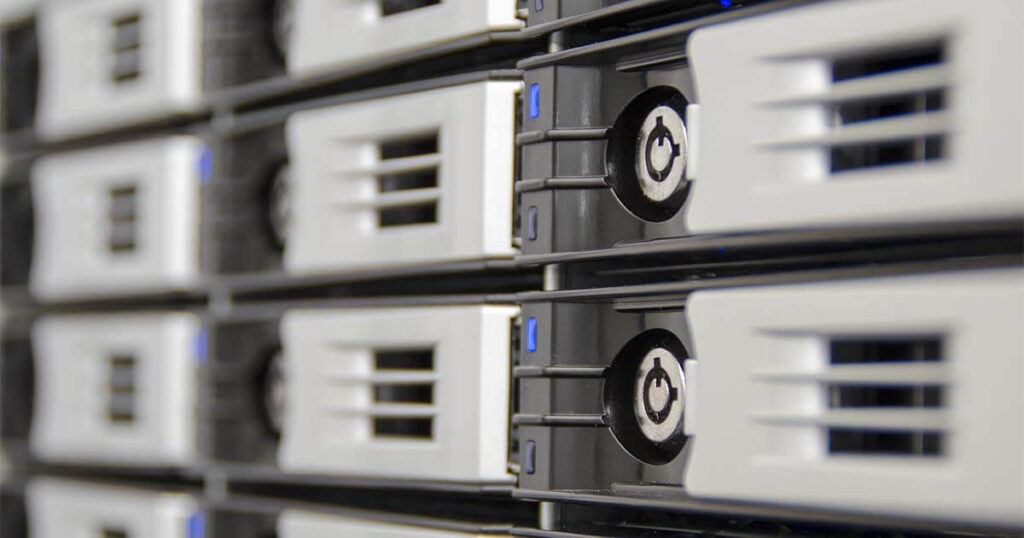
The number of bays is decisive when purchasing a NAS. Devices with one or two hard drives are aimed at individuals; There are also professional solutions on the market that have up to 12 bays. They enable complex storage architectures which, thanks to redundancy, protect against breakdowns and ensure a data rate pupil. Manufacturers rely on RAID systems here: the data is distributed across several storage media, so that the reliability and availability of the NAS remains ensured even in the event of a hard drive failure (depending on the RAID level). The different ways of assembling drives are called RAID levels: RAID 0, RAID 1, RAID 5, and RAID 10.
| Level | Minimum disks | Usable capacity | Principle and characteristics |
|---|---|---|---|
| RAID 0 | 2 | Total capacity | Strictly speaking, it is not a RAID system, but a simple set of independent disks. Accesses to the assembled disks are done in parallel, which increases the data throughput. This level offers no redundancy: it does not protect against failures. |
| RAID 1 | 2 | Half | The data is recorded in parallel on two media (mirror): if one disk fails, the other retains the data. |
| RAID 5 | 3 | Total capacity minus one disk for parity (one third maximum) | On each write, the controller calculates checksums (parity bits) and distributes them evenly, along with the data, across all media. If a disk fails, the lost information is reconstructed from the remaining blocks. A popular compromise between low cost, reliability and throughput. |
| RAID 10 | 4 | Half | Combination of levels 0 and 1: Data is first mirrored, then distributed. The preferred level for data security. |
| RAID 01 | 4 | Half | Combination of levels 0 and 1: data is first distributed and then mirrored. |
If you do not want to configure your NAS according to a RAID level, we are talking about JBOD (Just a Bunch of Disks): the full storage capacity of the hard drives is then available, but the failure protection and data throughput do not increase. Even with redundant storage media, it is advisable to schedule backups regularly. Devices intended for professional use offer the protocol NDMP (Network Data Management Protocol), which allows you to control the backup options of a NAS from a backup software. A regular backup often takes the form of synchronization with a second NAS, with a USB disk or with the cloud.

Six-bay NAS system
Cost and energy consumption
On the market, there are NAS systems delivered with hard drives as well as empty cases. With an empty case, you choose the storage capacity you need yourself, and the free slots allow you to expand the NAS. While the entry-level devices cost less than 200 euros, a professional model powerful, discs included, can cost several thousand euros. For professional use, companies are advised to provide such a budget.
Compared to traditional servers, modern NAS systems consume a lot less energybecause their functions are limited to storage. Many devices support power saving strategies: the sleep mode guarantees low consumption even in continuous operation, as the device is set to go into standby mode during periods of inactivity. Thanks to the function Wake on LAN (WoL), it is possible to restart a NAS via the network.
Extensibility
Installing additional software is generally not possible on a NAS. However, in addition to central data storage, many devices offer additional functions, for example as a print server. Some NAS also allow remote access via the Internet and can serve as a Web, FTP or email server.