
Nextcloud Mail is an application allowing centralized management of your messaging within the Nextcloud environment. The email application is installed by default in Nextcloud Hub; otherwise, just download it via the built-in App Store.
What is Nextcloud Mail?
Nextcloud Mail is a email application integrated into the Nextcloud platformspecially designed for the ecosystem of this software and part of its collaborative suite. In addition to Nextcloud Mail, this suite designed to increase productivity and promote team collaboration also includes Nextcloud Calendar, Nextcloud Deck and Nextcloud Contacts.
Support for communication protocols IMAP and SMTP allows Nextcloud Mail to support the email accounts of a large number of services. Its seamless integration into the Nextcloud environment makes it easy to connect to other Nextcloud applications. It works both with the collaboration suite components and with Nextcloud Files. According to the development team, more integrations are coming.
What are the features of Nextcloud Mail?
Nextcloud's email application offers much more than the ability to send and receive messages. Indeed, it has been equipped with many practical functions which make themore efficient email exchange and which integrate effortlessly into the Nextcloud environment. Here are its main features:
- Send and receive emails : This is the basic functionality of Mail, which consists of managing all of your email traffic. Messages can be easily sent, received and organized without the need for additional software.
- Add tags : tags, or labels, allow you to organize emails and find them quickly. Users have the option to create filters to automatically sort messages, for example by priority. This feature helps you keep an overview, especially if you have a lot of emails.
- Set tasks and appointments : the application allows you to define tasks and deadlines which can be synchronized with other applications, for example Nextcloud Calendar.
- Manage multiple accounts : Nextcloud Mail supports the configuration and management of multiple email accounts. This makes it easier to separate work and personal emails, without having to switch between different apps.
- Encrypt emails : thanks to the integration of the browser extension Mailvelopeyou can securely encrypt your emails, so that your communications remain confidential.
Advice
With Managed Nextcloud from IONOS, you benefit from a professional and practical Nextcloud solution without any administrative burden. IONOS takes care of the installation, maintenance and security updates of your server, allowing you to fully concentrate on the benefits of Nextcloud. Your data, over which you maintain full control, is stored on secure servers in Germany and is subject to the highest data protection standards.
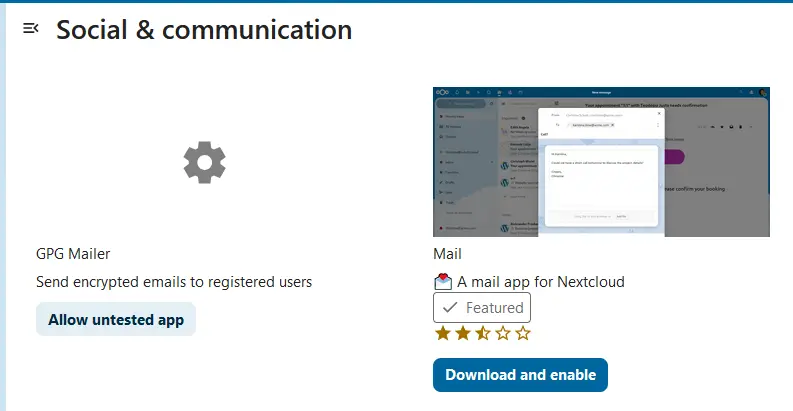
The Nextcloud email application is generally installed with Nextcloud Hub, and therefore already activated after configuring the software. If you are not working with a Nextcloud Hub Edition, you can also install and activate the app in the usual way via the built-in App Store:
- Log in to Nextcloud : Log in as administrator to your Nextcloud instance.
- Open the App Store : click on your profile photo at the top right and select the “Apps” section from the drop-down menu.
- Search for the app : in the search bar, enter “Mail”; it will appear in the “Communication” category.
- Install Nextcloud Mail : To install the application, simply click on the “Download and activate” button. If it is already active, you will instead see a “Deactivate” button, which you can click if you no longer wish to use this service.
Getting started with the Nextcloud email application
After installing Nextcloud or activating Nextcloud Mail, you can start configuring and managing your emails. The following tutorial explains the basic functions to help you get started.
Setting up a new email account
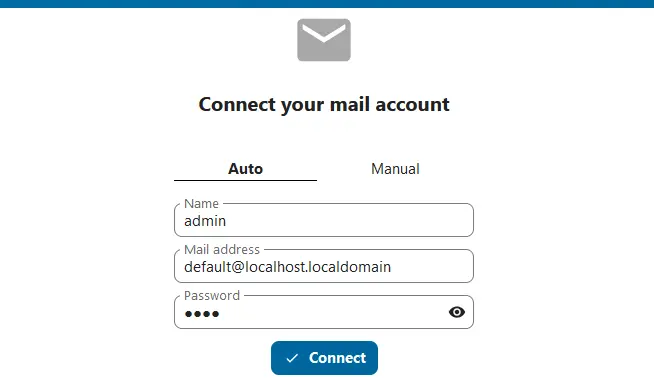
- Open the Nextcloud email application from the dashboard.
- Tap the email icon in the header.
- Complete the login form. Typically, the application configures automatically IMAP and SMTP settings. You can also select the option “ Manual » to do it yourself.
Create an appointment
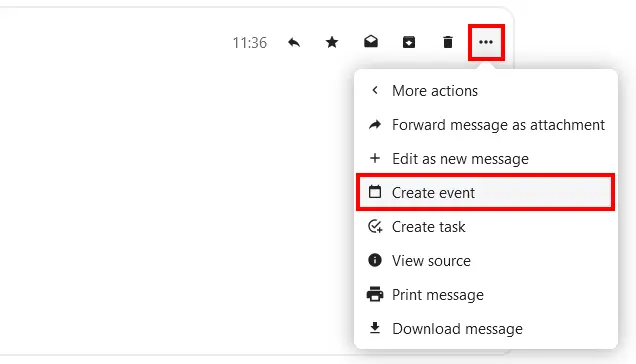
- Open a message's action menu, represented by a three-dot icon.
- Click on “ Other actions « .
- Select the option “ Create an event « .
- Enter the date, time and optionally a description of your event, then create it by clicking on “ Create « .
Managed Nextcloud
Cloud storage that puts you in control
- Effectively protect your data with industry-leading security
- Save time on updates and maintenance
- Easily add apps and collaboration tools
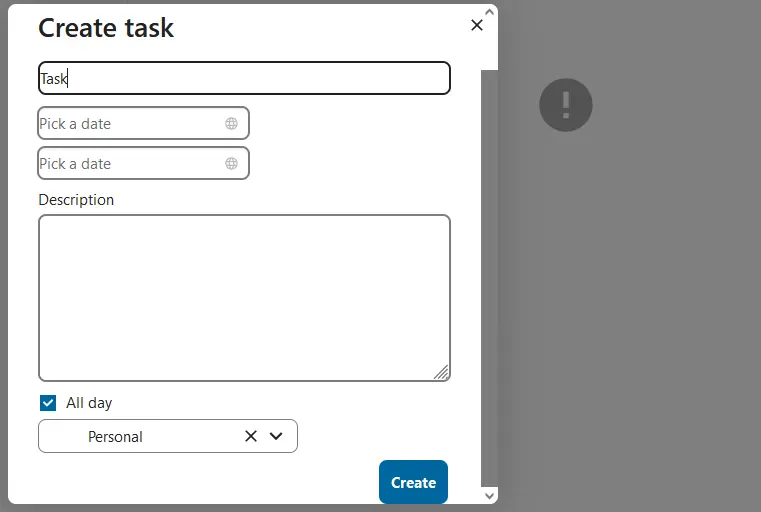
Create a task
- Open a message's action menu.
- Click on the button “ Other actions « .
- Select the option “ Create a task « .
- Set the title and deadline, add a description if necessary, then click “ Create « .
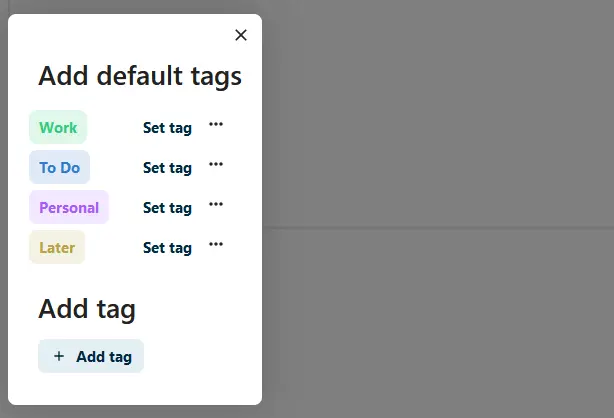
Use tags to get organized
- Open a message's action menu.
- Click on “ Edit tags « .
- Choose a tag from those proposed or add your own.
Was this article helpful to you?


