

In Nextcloud, logging captures and documents all relevant events and processes within your Cloud environment. The goal is to monitor the state of the system and quickly detect potential errors. The location of information storage as well as the way of reading Nextcloud logs depend on the type of log chosen.
What is logging in Nextcloud?
THE logging Nextcloud designates the collection and documentation of important information for the system within a Nextcloud instance. This function is primarily used to monitor system status and quickly identify potential sources of errors. It also helps track unusual activities and security events, such as unauthorized access attempts. Data is stored in logs (logs) which can be analyzed by administrators to ensure the proper functioning of the Cloud or to resolve problems.
Advice
Versioning, implemented by default, is also a key tool for the long-term protection of the Nextcloud instance: this functionality allows you to restore old versions of files. To learn more, see our separate article on versioning Nextcloud.
What Nextcloud log levels are available?
Nextcloud distinguishes five logging levels, which indicate to what extent information is logged. These levels (levels) of Nextcloud log are as follows:
0 - DEBUG : At this level, all activities are recorded. This is the most detailed level of logging within a Nextcloud instance.
1 - INFO : This level records file activity and user logins, as well as warnings, errors, and fatal errors.
2 - WARN : In addition to errors and fatal errors, the Nextcloud level 2 log only records successful operations that resulted in a warning about potential problems.
3 - ERROR : Only serious errors and failed operations without having a negative impact on other services and operations are recorded.
4 - FATAL : in this case, logging only takes place when the server is stopped.
Log level settings are defined in the file config/config.php. In Nextcloud config.php, the default logging level is 2 (WARN). To diagnose a problem, it is recommended to activate the level DEBUG. However, after error analysis, it is appropriate to return to a less detailed level of logging. In fact, the mode DEBUG saves a large amount of information, which can harm server performance.
Advice
If you use Managed Nextcloud from IONOS, you save yourself the administrative burden of installing, maintaining and updating your Cloud server. This allows you to fully concentrate on using your Cloud and the Nextcloud applications you need. Benefit from a secure server infrastructure and high data protection standards!
What are the different Nextcloud logs? Where to find them?
Nextcloud provides users with different types of logs to document activities and processes. With errorlog, file, syslog And systemdthere are four different logging options which we will detail below.
Note
Depending on the desired logging method, the setting log_type in the file config/config.php must be set to « errorlog », « file », « syslog » or « systemd ».
errorlog
With this method, all log information is sent to error_logrecording errors in the web server log file. The location depends on the choice and configuration of the server. So if you are using Apache you should normally find the file in the path /var/log/apache2/error.log. You can always manually change the file location if you want.
file
All Nextcloud logs are stored in a separate file, called by default nextcloud.log and located in the access path /var/www/nextcloud/data/. File name and date format can be customized in config/config.php thanks to the parameters logfile And logdateformat.
syslog
All log information is sent to the central daemon program of the Cloud software. This is a background process that runs continuously to periodically handle recurring service requests.
systemd
With this type of Nextcloud logging, logs are stored in the log systemdwhich takes care of managing the services running on the system. For this, the PHP extension php-systemd must be installed.
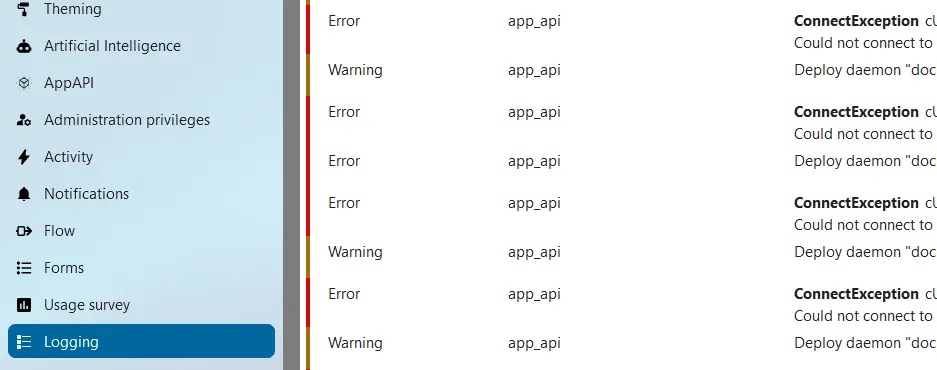
If you use Nextcloud file-based logging, you can easily access all log data via the administration settings (under “Logging”). This function is provided by the Log Reader application, which also allows you to download log files. For other logging options, logs can be opened via a text editor and/or command line.
Managed Nextcloud
Cloud storage that puts you in control
- Effectively protect your data with industry-leading security
- Save time on updates and maintenance
- Easily add apps and collaboration tools


