
Podman is a modern alternative to Docker, capable of running containers without the need for a central daemon. This improves security, especially when running without root privileges. On Ubuntu 22.04, you can install Podman in just a few steps.
Dedicated servers
Performance and innovation
-
Latest generation processors
-
High performance dedicated hardware
-
ISO certified data centers
What is Podman and what is it used for?
Podman (short for Pod Manager) is an open source container engine that allows you to manage containers and pods without requiring constant background service. Unlike Docker, Podman does not need a daemon: it interacts directly with containers and runs them in the user’s context. It is commonly used in secure environments or systems requiring flexible and secure container management.
Podman offers several advantages. On the one hand, the engine supports containers without root privilegesallowing users to run containers without root rights, increasing security. Because CLI commands are largely identical to Docker commands, a switch to Podman is simple for experienced Docker users. Additionally, Podman supports native Kubernetes concepts like pods and YAML configuration files.
What are the prerequisites for installation?
Before installing Podman on Ubuntu, you must meet the following prerequisites:
- Up to date Ubuntu system: make sure your Linux distribution is up to date.
- Access to a terminal with sudo rights: Installing Podman on Ubuntu requires certain permissions.
- 2 GB of free space minimum: For downloading and installing packages as well as for future container images, you must allow at least 2 GB of space.
- Internet connection: Podman installs from the official Ubuntu repositories or other alternative sources, so a stable internet connection is required for installation.
Installing Podman is simple and can be done with a few commands. Follow the steps below.
Step 1: Update the system
Before installing new packages, you must update your system. This ensures that all dependencies are up to date.
sudo apt update && sudo apt upgrade -ybash
This command updates the package lists and installs the latest updates for your system.
Step 2: Install Podman
You can now proceed to install Podman on Ubuntu 22.04. Podman is available in the official Ubuntu repositories, so you can install it directly through the package manager.
sudo apt install podman -ybash
This command downloads Podman and all necessary dependencies and configures them on your system.
Step 3: Check the Version
Once the installation is complete, you can check the installed version of Podman to verify that Podman is ready to use:
If Podman was installed successfully, the output should show the installed version number.

The version display shows that Podman version 3.4.4 has been installed.
To test if Podman is working properly on your system, you can run a container. To do this, run a simple container “ hello-world »:
podman run --rm hello-worldbash
If everything works, you should see a welcome message confirming that Podman is working correctly.
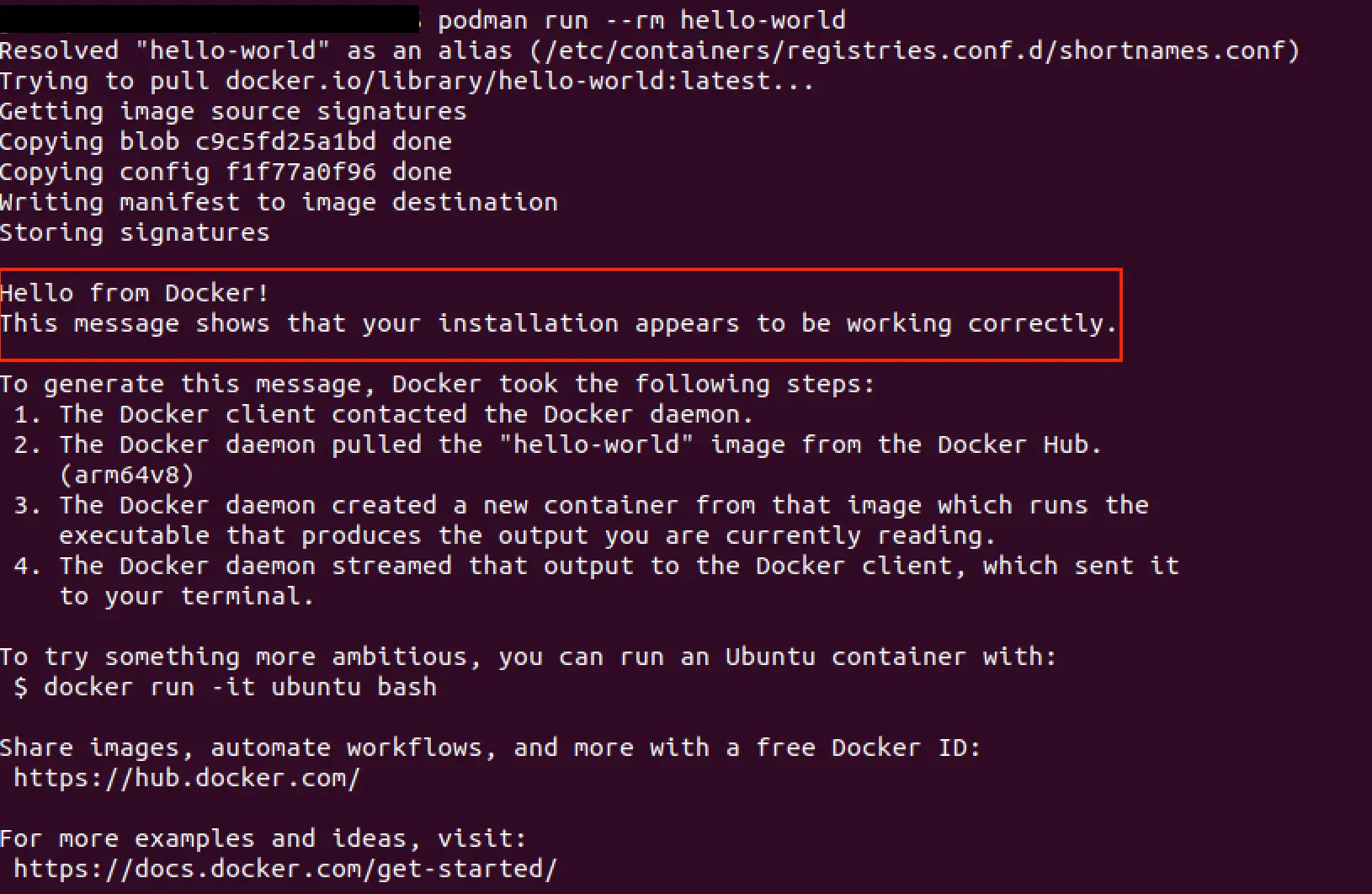
You can now create any container with Podman, for example the “hello-world” Docker test container.
You can also check your container environment at any time with the following command:
This command displays detailed information about the Podman installation, supported storage backends, and other configuration details. In case of problems, you can reset completely configure Podman with podman system reset.
Advice
You can find more information on installing and operating the container engine in our dedicated Podman tutorial.
IONOS CLOUD Compute Engine
The ideal IaaS solution to manage your workloads
-
Cost-effective vCPU and high-performance dedicated cores
-
No commitment for more flexibility
-
24/7 expert support included