

If WhatsApp suddenly stops working, there could be several causes at play. Some of them can be fixed easily by the user. Here you will learn how to understand exactly how WhatsApp works and how to spot whether the problem is with the provider or not.
WhatsApp no longer works: what you can do
Most of the time, you notice that something is wrong on WhatsApp when the recipient of one of your messages does not respond and the clock symbol appears instead of the two checkmarks to the right of the text. If the clock stops for a while, there appears to be a problem. You can then try to solve the problem in different ways.
Check Internet Connection
First check if Wi-Fi connection or mobile data are enabled on your phone. To do this, at least one of the two icons must be activated in the taskbar.
If so and WhatsApp is still not working, launch another app and check if it works. If you encounter no problem launching this other application, you rule out that it is a general internet reception problem on your smartphone.
Restart your smartphone
Sometimes it is useful to turn your smartphone off and on again, because the operating system can thus restart itself. Application issues are sometimes resolved this way. If you have a general problem with your smartphone, you can also use the application on your computer since there is a version of WhatsApp for PC.
HiDrive Next online storage
Your data accessible anywhere and at any time
- Edit, share and store your files
- ISO certified European data centers
- High data security, GDPR compliant
Update WhatsApp or operating system
Depending on whether you have configured app updates on your smartphone as automatic or not, you may have missed an update. whatsapp update. This would explain why the WhatsApp application is not working correctly. So go to the Play Store or App Store and search for WhatsApp. If an update is available, an option will appear. Also remember to restart your phone after installation.
However, if WhatsApp is up to date, a outdated operating system may be the source of the problem. Then select the “Software update” option in your phone’s settings in order to carry out any updates.
Clear cache
Your WhatsApp does not respond to startup or is very slow? This may be due to the storage of your smartphone, and more specifically the cache. To empty it, open the settings of your phone Android, scroll to « Apps » and select WhatsApp from the list. On the next page, click “ Memory » and at the bottom right on “ Clear cache « .
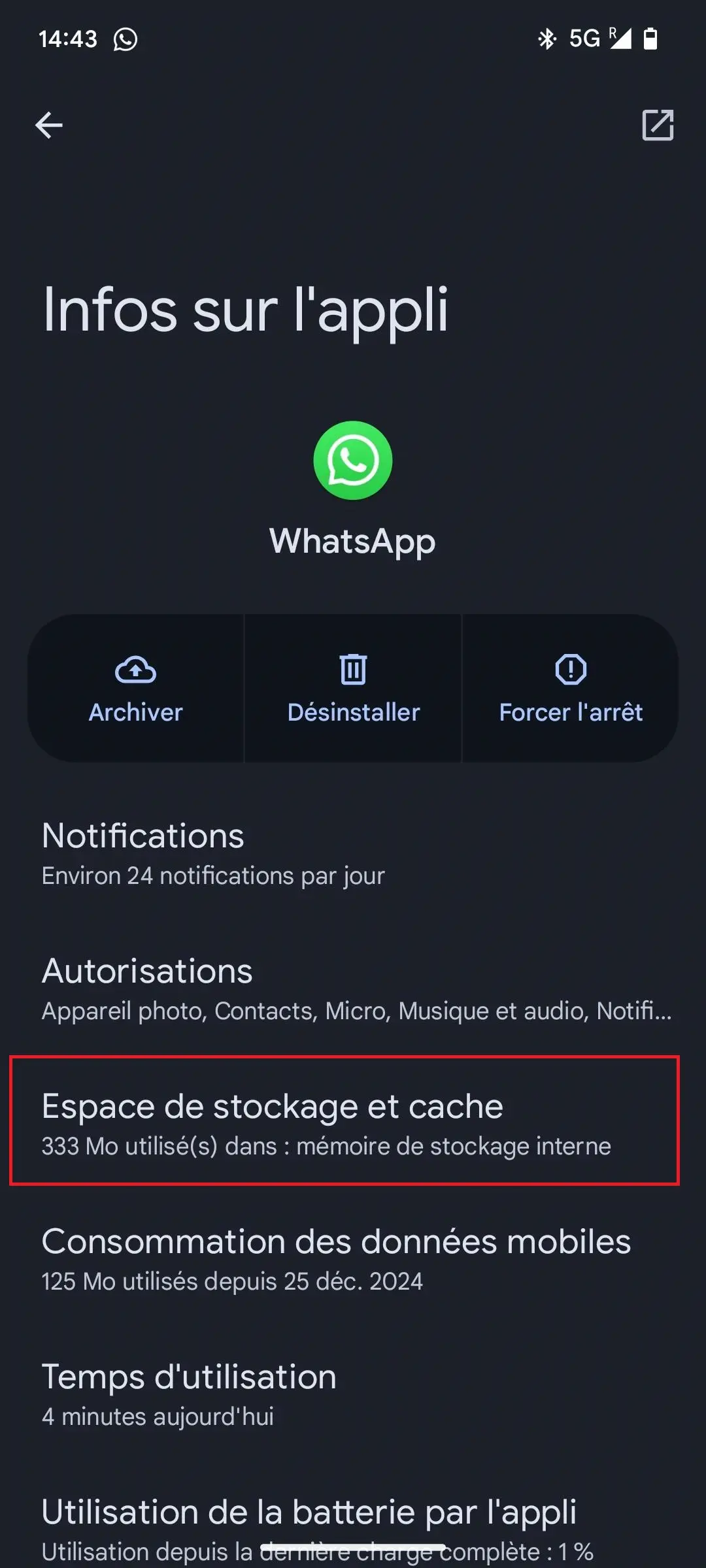
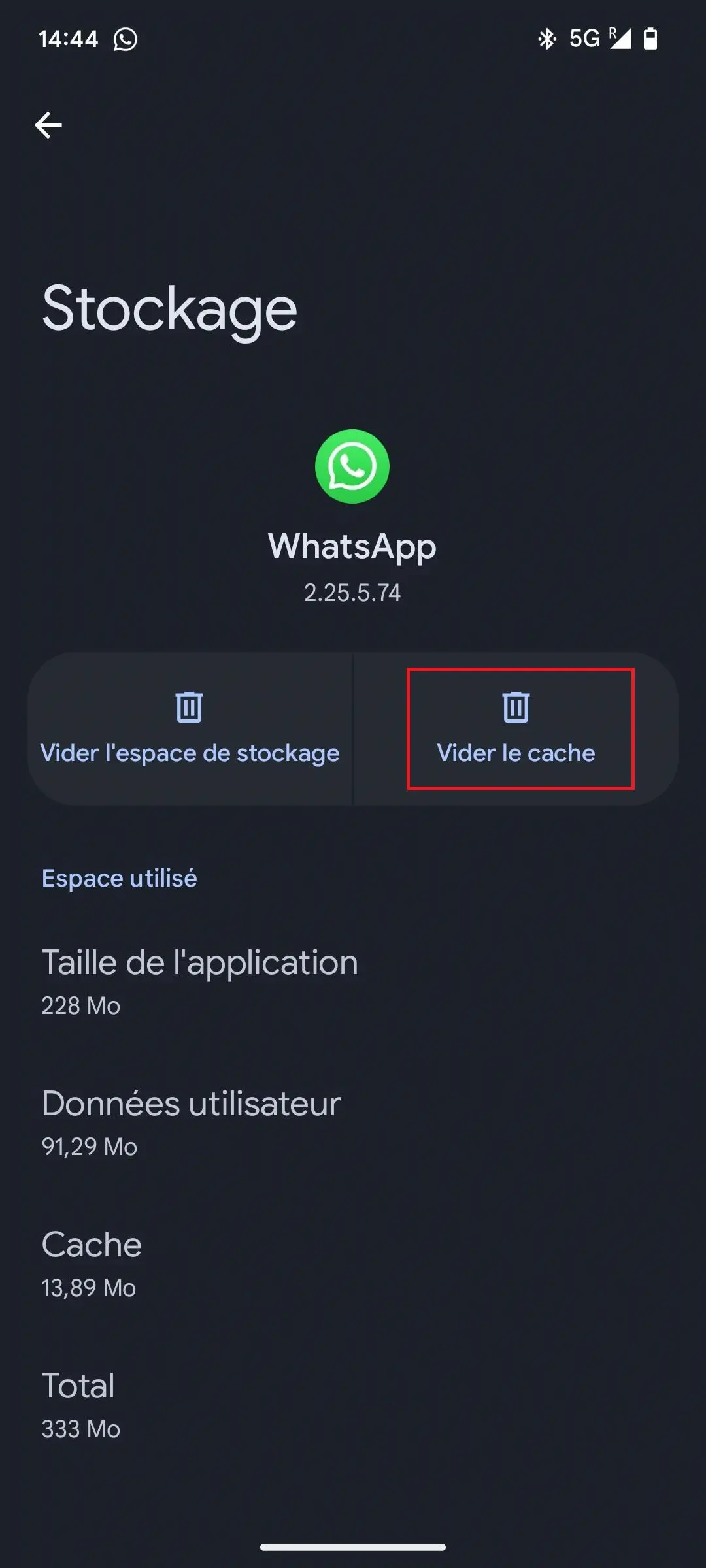
On iPhone, it is not possible to only clear the cache. However, you can uninstall then reinstall the application without deleting the WhatsApp account to resolve certain issues.
Reinstall WhatsApp
You can also reinstall WhatsApp if the app no longer works. This applies to both iPhone and Android. This is especially if a WhatsApp error message regularly shows that this step is worth doing. Uninstallation is done by pressing the application icon until a small menu opens and offers you to uninstall. It is recommended to first create a WhatsApp backupfor example with Google Drive, so as not to lose data. On iPhone, backups are made via iCloud. Make sure you have enabled this option before uninstalling the app.
To reinstall, download the application from your smartphone store. However, you can also opt for an alternative to WhatsApp.
WhatsApp no longer works: problems with the provider
If all of the tips mentioned above don't work, it's likely that there's a bigger problem with the supplier. To find out, simply consult troubleshooting sites as Downdetector.fr where users report outages in real time. On X, there is the hashtag #whatsappdownwhich can possibly tell you if WhatsApp is not only working at home.
Note
As WhatsApp belongs to Facebook, and therefore to the Meta Platforms group, social networks such as Messenger and Instagram are often also affected by malfunctions.
Contact WhatsApp Support
If you face long-term problems using WhatsApp, you can contact support directly via the app. To do this, go to the application settings, then select “ Help » and click on “ Contact us » in the help center. Enter a detailed description of the problem in the window that opens, then send your message.
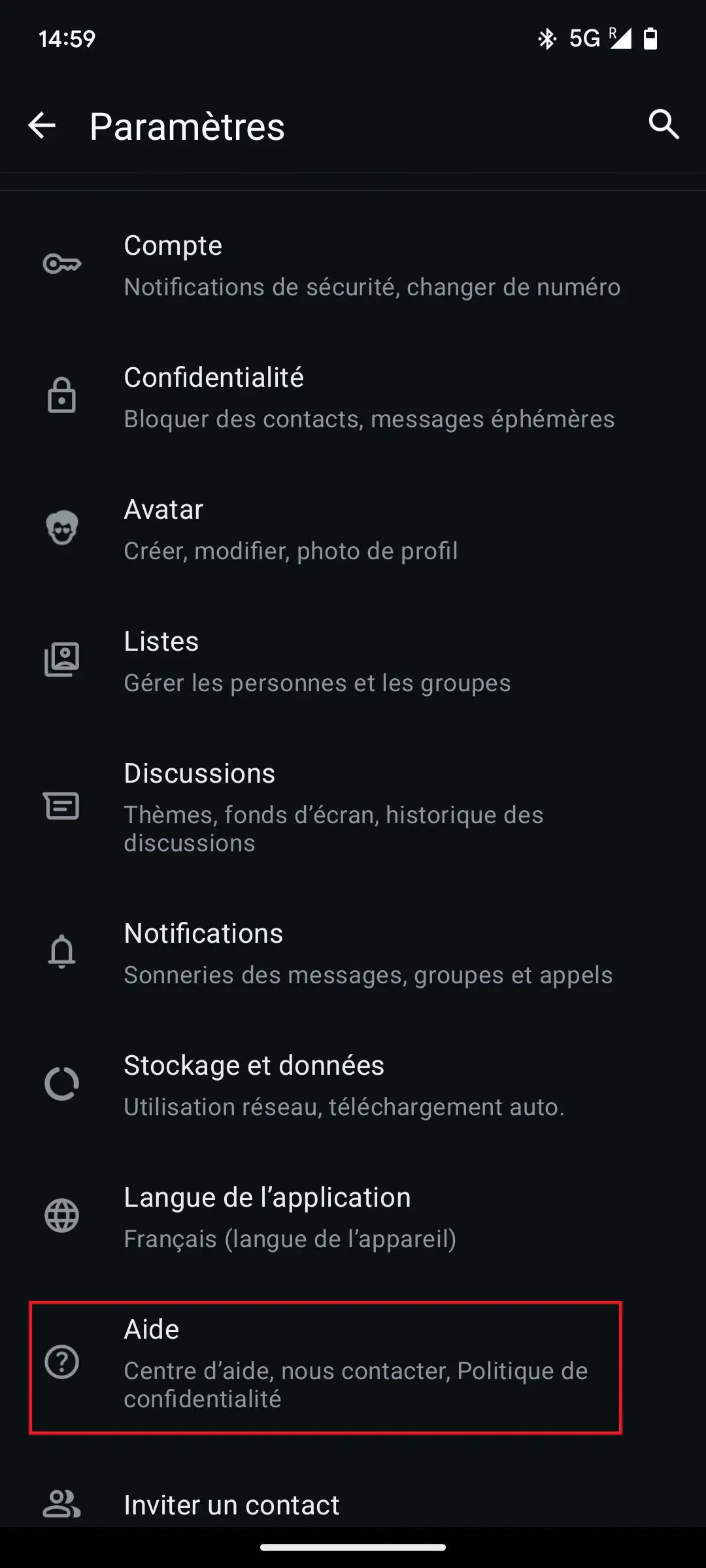
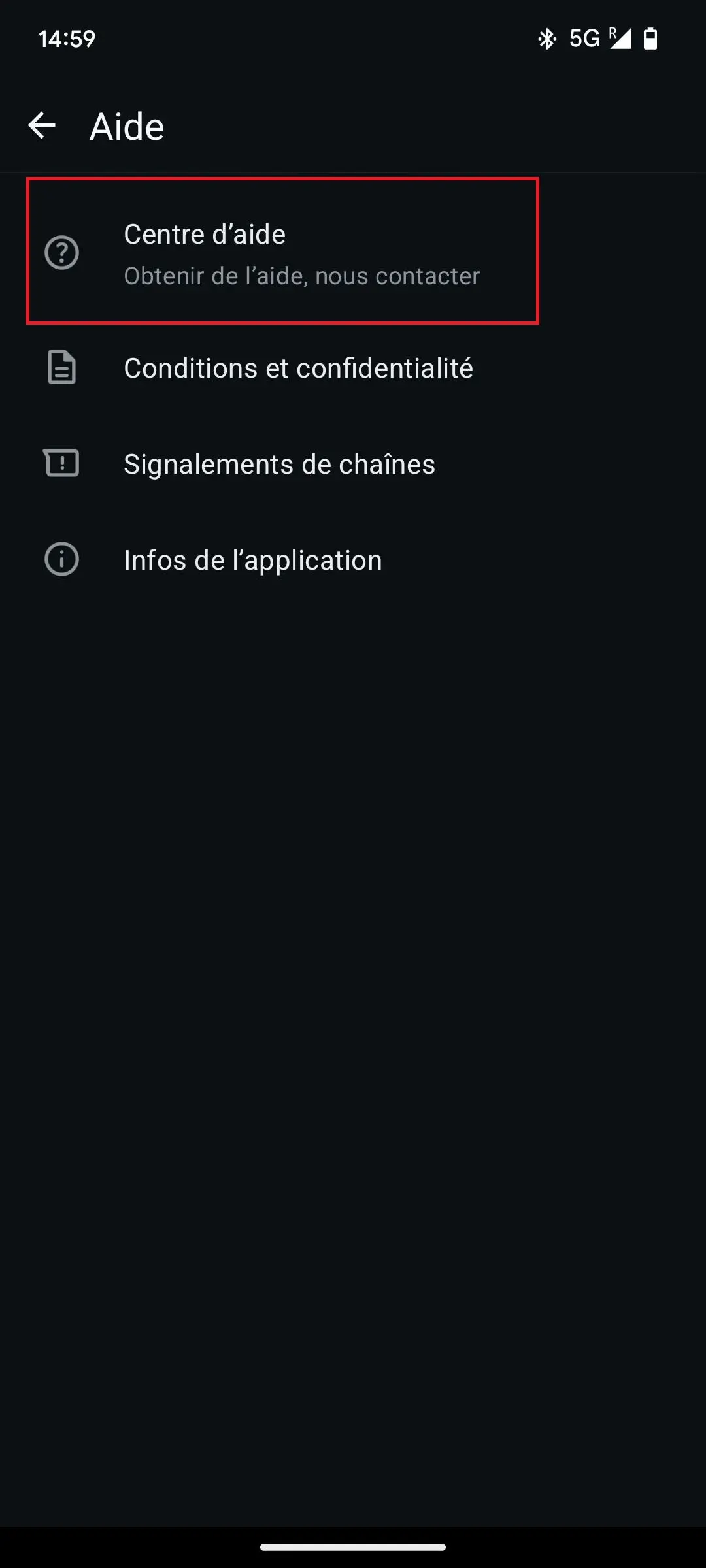
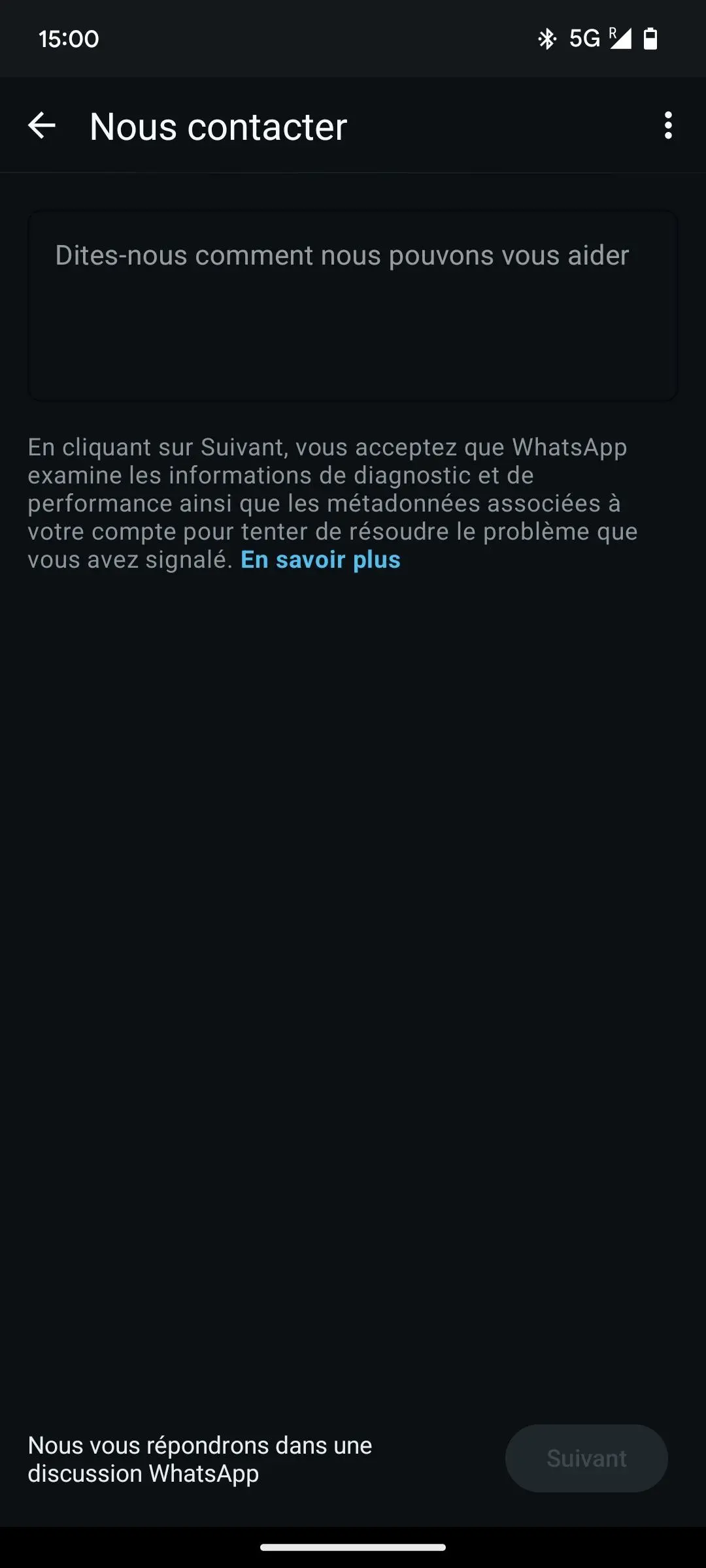
If the application no longer opens, you can send a message to support via the WhatsApp website. A contact form is at your disposal. Simply enter your phone number, the operating system used and a detailed description of the problem. However, telephone support is not offered.
Professional email address
Discover a new way to process your emails
- Email address in your name
- AI features to write perfect emails (optional)
- Secure messaging with spam protection


