

A well-structured URL is an important element for successful SEO. It helps users find their way and allows search engines like Google to correctly understand and index content. With a clear URL structure, your content is more easily found and its click-through rate increases: your SEO strategy becomes more effective in the long term.
SEO and URL structure: creating addresses adapted to search engines
When a site is well designed, navigation is fluid without the visitor worrying about the URL of the page they are on, but did you know that URLs play an important role in SEO?
The URL indicates the exact location of a page. It must be structured in such a way that a crawler search engine can recognize and interpret it unambiguously. Follow our best practices for URL construction to ensure that crawlers can access your website without issue.
Advice
It is important to understand the difference between a URL and a domain. The domain is the main address of a website and can take different forms depending on its domain type. A URL, on the other hand, can be the address of any page on a website.
Make sure Google can read your URLs
One of the most important factors for a website URL is its technical readability. The Google robot must be able to correctly interpret the characters used in order to effectively crawl your URLs for SEO. Not all keyboard characters are suitable for URLs and some may even cause pages not to be crawled or crawled incorrectly. Therefore, only use authorized characters: letters, numbers, hyphens and slashes. Special characters and punctuation marks should be avoided, as they can cause problems during indexing.
Use only allowed characters
Before creating web addresses, you need to know which characters search engines can read without problems, and which ones are best avoided.
| Character category | Description | |
|---|---|---|
Safe charactersa-z, 0-9, -, /
|
These characters can be used without problem. The hyphen separates the terms, the slash is used to structure the access paths. | |
Characters with special functionality#, ?, &, @, +, ~, :
|
These characters have a specific function in URLs and should only be used if you know their technical meaning. | |
Characters not to use[ ], { }`
|
,`, ", %, < >
|
These characters may cause technical problems or be misinterpreted by search engines. Also, always avoid capital letters and use lower case letters instead. |

Create readable, best-practice URLs
Many content management systems (CMS) automatically create a page's URL from the main title (H1). In modern systems, this mechanism can often be controlled: either by separate fields for the slug URL and title, or through individual editing options.
If your CMS does not allow you to distinguish between the URL and the H1 and automatically generates your URL directly from the main title of each publication, you will need to take care not to use functional or insecure characters in this title. Also make sure the main header title is unique for each page. This helps avoid issues with double URLs, which can hurt your rankings.
Advice
If you have too many similarities between page tags and content on your website, it can lead to duplicate content issues. This can both affect your ranking on Google and confuse your visitors.
Design pages with optimal URL structure
Search engines don't just analyze the content of your pages; they also study the structure of your web addresses. A URL hierarchy Well organized makes it easier for Google to crawl and index your website.
Web addresses should be organized logicallystarting with the home page, going through the main sections and ending with the subpages organized by theme. This helps create a clear and understandable page structure, both for Google and for visitors.
Here is an example of a well-structured URL hierarchy:
- Home page :
velo.exemple - Main category :
velo.exemple/blog - Subcategory :
velo.exemple/blog/trucs-et-astuces - Article :
velo.exemple/blog/trucs-et-astuces/changer-un-pneu
By dividing your pages this way, it will be easier for Google to index your website. Clear and logical URLs also make your website more attractive on the search engine results page (SERP).
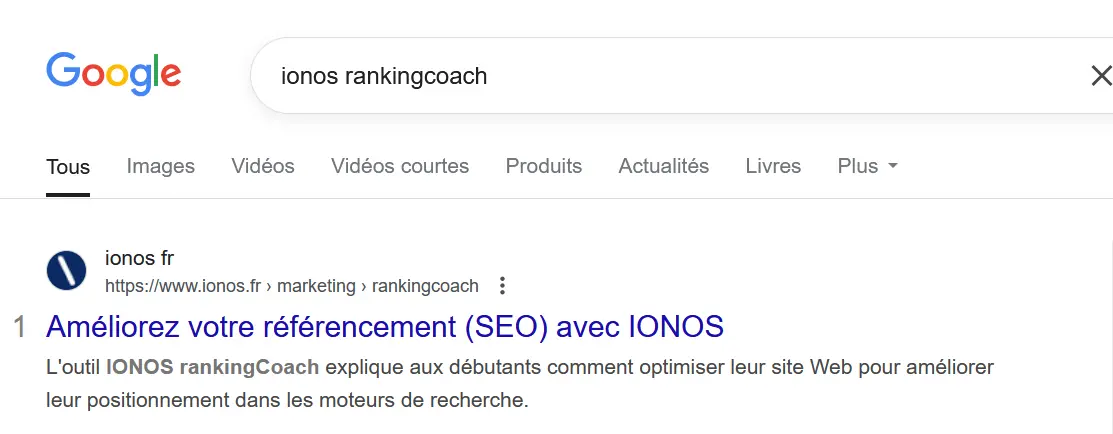
Optimize your SEO with the right URL
Using URL best practices can improve your SEO in several ways. One of the most important aspects is that it provides valuable space for keywords. This is particularly useful for long-tail keywords that are sometimes difficult to place. Indeed, keywords used in URLs do not necessarily have to have meaning as is the case when they are used in the context of a sentence. Make sure to place the main keywords that you are targeting in your URL. Use hyphens to separate different words inside. For example, to get traffic from Google searches “How to fix a flat tire?” « , a good URL could be:
velo.exemple/blog/trucs-et-astuces/comment-changer-un-pneu
This address contains terms that are relevant to both the user and the search engine. The more clearly the terms are structured, the better Google can rank the content on the page. In addition to the URL, the titles H1 and H2 must also contain appropriate keywords. The combination of URL, title, and subtitles is one of the most effective factors for ranking well in search results.
Use optimized URLs for evergreen content
An effective way to achieve long-term SEO success is to create evergreen content. This type of content stays relevant for years and continually generates traffic without quickly losing its value. The URL plays an important role in this regard. Avoid including dates or years in web addresses, like astuces-seo-2025. Such URLs quickly become outdated and lose their relevance the following year. On the other hand, a timeless URL like astuces-seo remains valid over time and can thus keep its classification.
Although evergreen content is generally timeless, it must be regularly reviewed and updated to maintain its relevance and ensure it does not lose value due to new trends or changes in the industry.
Finally, never change the URL of a page that already ranks well without setting up the appropriate redirects. Changing a high-ranking URL without a domain redirect results in a loss of ranking because Google can no longer find the old URL. It can take weeks or months to re-index your website, which can negatively impact rankings. It is therefore best not to modify URLs if possible.


