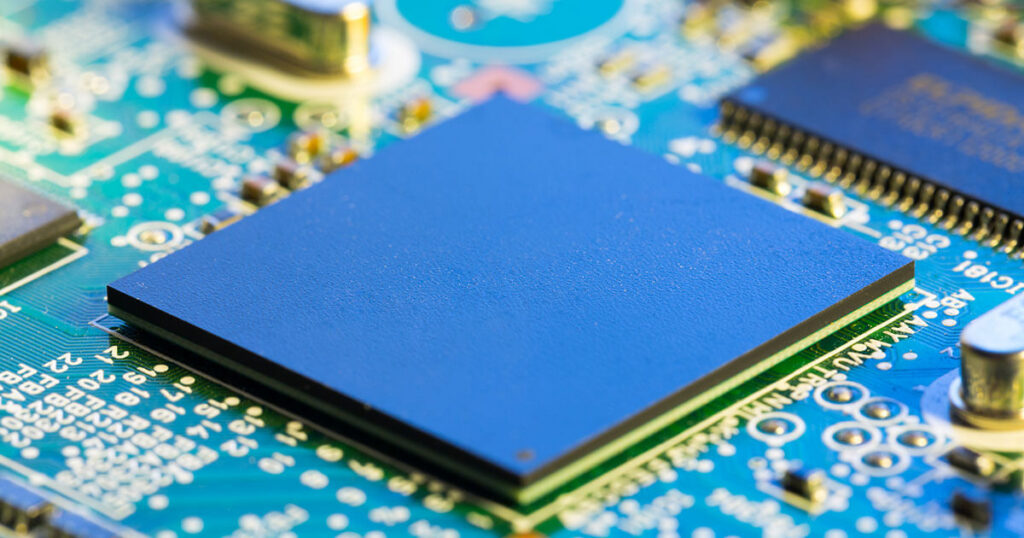
Random access memory, or RAM (Random Access Memory), is the working memory of a device: it temporarily stores the data and programs that the processor needs immediately. Its capacity, technology and speed directly influence the fluidity of a computer, tablet, smartphone or server. Whether you want to buy a new device or upgrade an existing computer, it helps to know what RAM is used for, what types exist, and how much capacity you need.
Summary
The essential points about RAM:
- RAM is the device’s volatile working memory: the processor accesses it much faster than the hard drive or SSD, but its contents disappear when turned off.
- When RAM is full, the system moves data to storage, which significantly slows down the device.
- Depending on the use, 8 GB is sufficient for office automation, 16 GB offers a comfortable margin and 32 GB or more is useful for very demanding uses.
- The DDR generations (DDR4, DDR5) are not compatible with each other: the type of memory depends on the motherboard.
- ECC RAM detects data errors and corrects single-bit errors; it mainly equips servers and workstations.
- The DIMM, SO-DIMM, UDIMM, RDIMM and NVDIMM formats are distinguished by their size and usage.
What is RAM and what is it used for?
RAM (Random Access Memory) is volatile memory in which the operating system temporarily saves programs and data in use. It serves as short-term memory to the computer: the processor immediately finds the information it needs to execute open programs.
Not to be confused with storage memory (hard drive or SSD), which stores your files long-term. RAM is much faster, but it doesn’t keep anything after the device is turned off.
Even intermediate versions of an Excel table, for example, are kept in RAM so that the processor can access them at any time. The speed of the computer depends in particular on the ability RAM, its frequencyof his latency and its Speed of data.
When RAM is full, the operating system moves part of the data to storage (page file under Windows, swap under macOS and Linux). As storage is much slower than RAM, the device slows down significantly: programs react with delay or freeze.
Advice
If the RAM is full, the computer slows down. In this case, it may be a good idea to clear the RAM in order to remove unnecessary data from RAM, for example by closing programs and browser tabs that you no longer need.
RAM acts asintermediate between the processor and the storage (hard drive or SSD). Storage is generally too slow to deliver data to the processor at the desired rate. The system therefore loads the programs and data it needs into RAM.

Illustration: operation of RAM
The illustration above explains this operation. Let’s take the example of an Excel table: when you open a file saved on disk, the program loads it into RAM. The processor then accesses and processes this data. RAM transmits data to the processor via a “data bus”and read and write access is much faster than on a hard drive or SSD. When you click Savethe computer copies data from RAM to storage.
The data most often used are found in the cache, a very fast and small memory integrated into the processor itself. It is based on SRAM technology and is not part of the RAM installed on the motherboard. The processor finds the data it regularly needs more quickly; the contents of the cache are automatically renewed according to usage.
Note
RAM only serves as temporary memory. As soon as your device is turned off, the data on it disappears. So remember to save your files and changes before turning off the computer. If necessary, you can also clear the RAM yourself. Find all the information in our article.
How much RAM do you need?
Sufficient capacity prevents the system from having to resort to storage, which is much slower. Too high a capacity, however, does not provide anything more: it is therefore better to start with your usage. It all depends on tasks you perform and of number of programs open simultaneously. If you already know what software you’ll be using, check out their recommended requirements.
The following values can serve as a guide for a computer:
| Use | Indicative capacity |
|---|---|
| Internet browsing, emails, office applications | 8 GB (4 GB corresponds to the minimum required by Windows 11) |
| Versatile use with many tabs and open programs, programming, low-power games | 16 GB |
| Video editing, virtual machines, very demanding games | 32 GB or more |
For a tablet4 GB is usually enough for surfing the Internet and watching videos. For a smartphonethe capacity varies greatly depending on the range: entry and mid-range models often offer 6 to 8 GB, high-end models significantly more. On smartphones, the RAM is soldered to the board and cannot be expanded. This is also the case for the unified memory of Macs equipped with an Apple chip: it is integrated into the processor and Apple does not offer any accessible memory slot, the capacity is therefore chosen upon purchase. On most desktop PCs and many laptops, however, you can add or replace modules.
The price of RAM varies greatly depending on supply and demand. So compare the offers before purchasing, taking into account the generation (DDR4 or DDR5) and frequency compatible with your device. For best performance, preferably install two identical strips, which allow dual channel operation.
What are the different types of RAM?
RAM has been around since the beginning of computing. Technologies have evolved towards lower energy consumptiona larger capacity and one higher speed. We distinguish in particular between static RAM (SRAM), used for example for the processor cache, and dynamic RAM (DRAM), which constitutes the main memory of devices. SDRAM (synchronous dynamic RAM), which appeared in the late 1990s, is the starting point for current DDR generations.
Today, computers, laptops and servers use DDR type SDRAM. Workstations and servers are also often equipped with ECC RAM. We also distinguish memory unbuffered of memory registeredas well as the formats DIMM, SO-DIMM and NVDIMM.
DDR and ECC RAM: what’s the difference?
DDR means “Double Data Rate”or “double data rate”: the memory transfers data on the rising edge and on the falling edge of the clock signal, therefore twice per cycle. The following number indicates the generation. DDR4 dates from 2014; DDR5, standardized in 2020 and present on the market since 2021, is gradually replacing it. The generations are not compatible with each other: a DDR5 module does not fit into a DDR4 slot. So always check the generation supported by your motherboard. DDR5 reaches from its starting speed (4,800 MT/s) a speed of around 38 GB/s per strip and operates at a lower voltage than DDR4 (1.1 V instead of 1.2 V).
L’ECC means “ Error Correction Code » (error correcting code). If RAM detects an error in the data, it can correct it. For this purpose, an ECC module has an additional chip for every eight data chips (nine instead of eight, for example). It is found almost exclusively in servers and professional workstations, where a bit error can have costly consequences, for example in banking systems. Not to be confused with the error correction integrated into DDR5 (“on-die ECC”) chips: it improves the reliability of the chips themselves, but does not replace true ECC memory.
Unbuffered and registered: what’s the difference?
With unbuffered RAM (UDIMM), the processor’s memory controller sends its commands and addresses directly to the chips on the module. With registered RAM (RDIMM), a register component placed on the module buffers these signals. It thus unloads the memory controller, which makes it possible to accommodate more chips on the same strip and therefore to achieve significantly higher memory capacities per server.
Registered RAM is therefore mainly found in servers. Unbuffered RAM, on the other hand, is suitable for desktop and laptop computerswhich have few bars. The two types are generally not interchangeable: the motherboard and processor must support the chosen type.
What do DIMM, SO-DIMM and NVDIMM mean?
DIMM stands for “Dual Inline Memory Module”: the gold contacts located on the two faces of the strip are independent and therefore transmit different signals. On the old SIMM (Single Inline Memory Module), on the contrary, the contacts on both sides were connected and transmitted the same signal.
The following formats are common:
| Format | Typical usage | Special feature |
|---|---|---|
| UDIMM | Desktop PC | Unbuffered RAM, see above |
| RDIMM | Servers | Registered RAM, see above |
| SO-DIMM | Laptops and mini-PCs | Compact format (“Small Outline”) |
| NVDIMM | Specialized servers | Non-volatile memory: data remains available after a power outage |