

Group folders, also called group folders in Nextcloud, are directories configured by administrators and shared with members of one or more teams. The application dedicated to managing these folders is called Team folders. An alternative is to use the built-in sharing feature and the Teams app.
What is a group folder in Nextcloud?
The Group Folder feature allows you to create and share directories for specific teams or user groups in Nextcloud. Only administrators can create Nextcloud group folders: they can define in detail the groups authorized to access and modify the files in the folder. This function is therefore particularly practical for collaboration within permanent teams and hierarchical groups.
It is also possible to set storage limits, called quotas, for group directories to ensure controlled use of storage space. Because correctly configured directories are associated with a group, data is retained even if some members leave the group. To access group folders, a Nextcloud account is required. External sharing can however be made using the dedicated function.
Team folders: the Nextcloud application for group folders
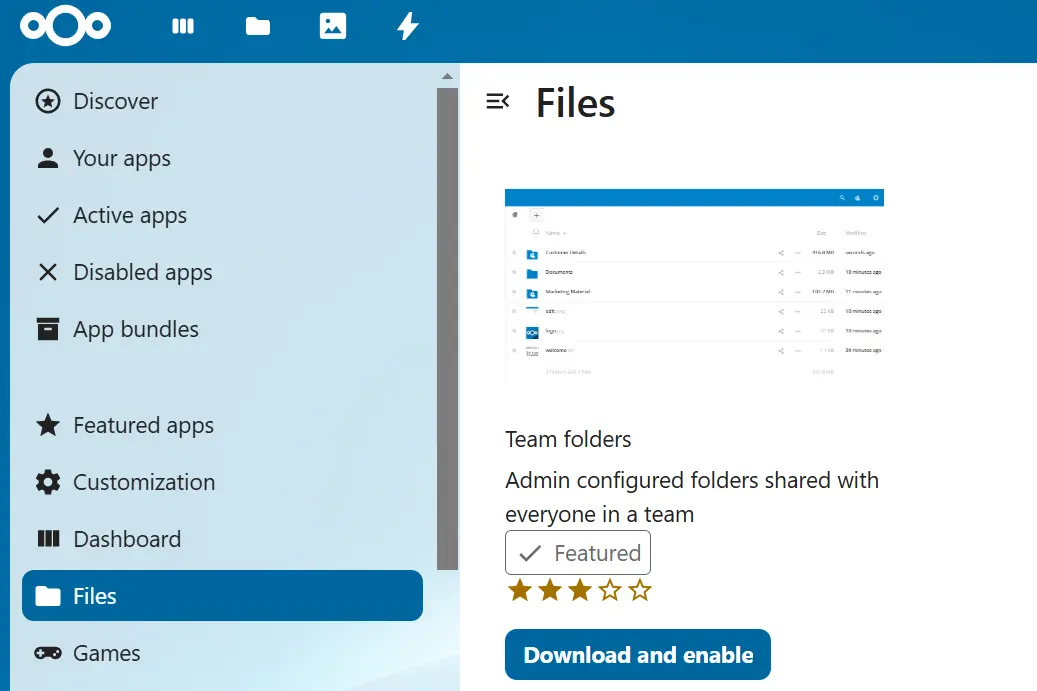
To create and manage group folders, it is recommended to use the Team folders application (formerly called Nextcloud Group folders). Like all Nextcloud applications, installation and activation are done directly from the App Store integrated into Nextcloud. To do this, log in as an administrator and navigate to the App Store. Then enter “Team folders” in the search box and install the application by clicking “Download and activate”.
Advice
With Managed Nextcloud, IONOS offers you a powerful and secure Cloud solution that allows you to maintain total control of your data. You can add applications to your Cloud flexibly, but you don't have to worry about their administration thanks to outsourcing. Plus, you get other benefits and features like AI integration, tailored support, and WebDAV integration.
Create and share Nextcloud group folders: step-by-step guide
The instructions below illustrate how to create and share a group folder in Nextcloud. Here is the procedure to follow:
- Log in to an account with administrative rights via the web interface.
- Click on your profile icon, then select the option “ Administrative settings « . Then go to “ Group folder « .
- Enter the group folder name in the “Folder Name” field (to the left of the + icon) and confirm by clicking “ Create « .
- The folder you just created now appears in the group directories list.
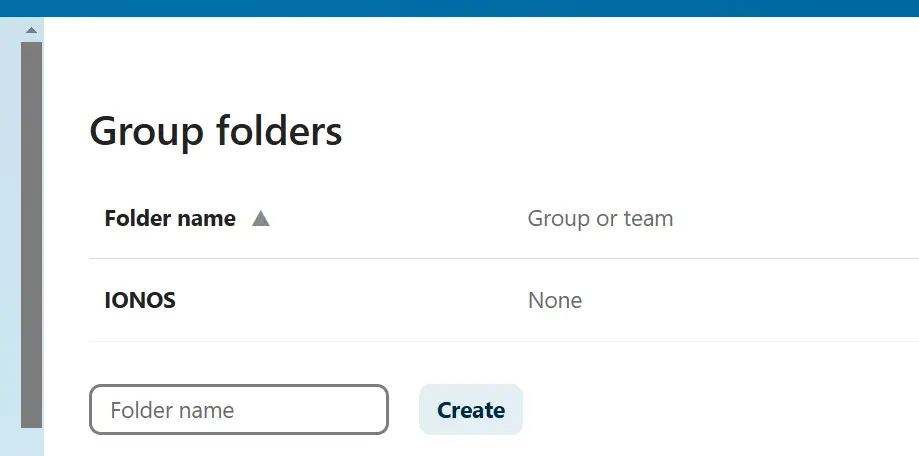
After creating a Nextcloud group folder, you will notice that the “Group Membership” field is set to None by default. If you want to share the Nextcloud folder with a group, follow these steps:
- Click the pencil icon.
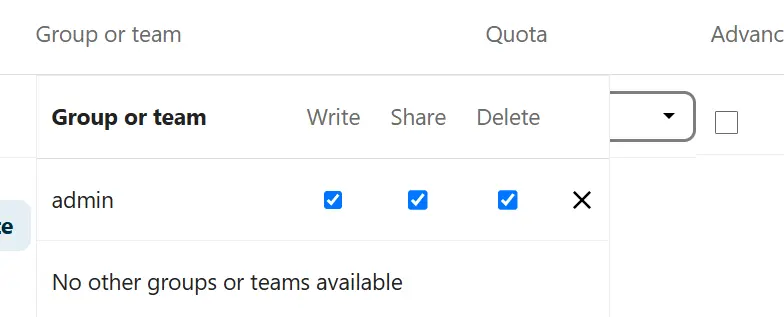
- From the list of groups, select the group(s) you want to share the folder with.
- Then set the permissions: write (
Write), sharing (Share) and deletion (Delete). - If the added group does not appear immediately, reload the page. The group you just added is now displayed in the group membership column.
What are the alternatives to Nextcloud group folders?
In addition to group folders, Nextcloud offers other possibilities for sharing files or folders with other people. A first alternative is the built-in sharing function from Nextcloud, which can be used via the share icon (next to files or folders). From a technical point of view, however, sharing in this way is similar to a symbolic connection, which has two disadvantages:
- Shares always belong to the user who shares them. If this person leaves the company or if their account is deleted or blocked, the shared content is no longer accessible to other users. Sharing recipients also don't have the ability to intervene if important data is deleted.
- Users can move and rename shareswhich can make it difficult to find shared content. Conversely, Nextcloud group folders are named uniformly and stored in the same place for all users.
Another possibility for organizing files between users is the application Teams. (formerly Circles). This extension, now integrated by default into Nextcloud, offers the possibility of share files and folders between self-managed teams without administrator intervention, which makes the application particularly suitable for projects without clear hierarchy. In principle, all users can create teams. However, this alternative has the same limitations as the standard sharing function (dependence on the user, lack of centralized management, etc.).
Managed Nextcloud
Cloud storage that puts you in control
- Effectively protect your data with industry-leading security
- Save time on updates and maintenance
- Easily add apps and collaboration tools


