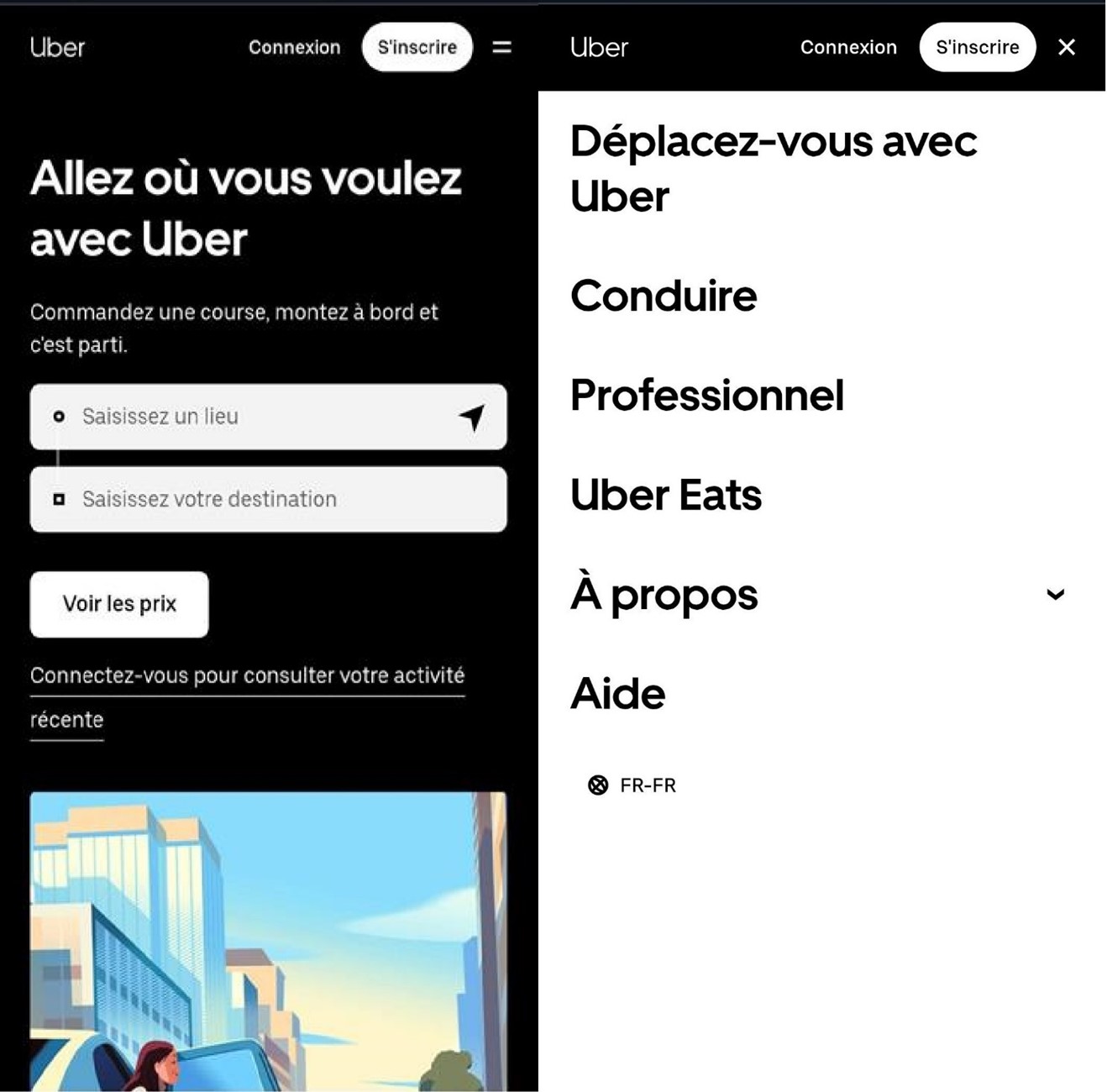
Responsive navigation is one of the main aspects of mobile optimization. If users cannot go from point A to point B on their mobile, they do not hesitate to leave the site. The consequence? A loss of traffic and, above all, turnover. Discover the different techniques to remedy this problem.
What is a good responsive navigation?
Good navigation is essential to a website, because it allows the user to quickly find the information he is looking for. The different commands should operate as simply as possiblebe understandable and obvious in order to allow a intuitive use. The main challenges of responsive navigation are lack of space and tactile use on mobile devices. However, there are some solutions allowing clear and favorable navigation to the user. The base of Responsive WebDesign is that the content of a page dynamically adapts to all types of supports and their technical requirements.
The approach Mobile First is often in this regard. This design principle puts mobile optimization in the foreground. Usability and performance are among the main objectives of this approach. Then comes the adaptation to the display on a fixed and portable computer. On the other hand, adapting a website of computer website to a mobile format often requires a lot of time and resources. Before starting planning and the implementation of responsive navigation, you must find the answers to certain basic questions, including the location and the basic structure of the navigation menu.
Note
The accessibility of a website is more important than ever: navigation (compatibility with screen readers, sufficient contrast, etc.) must occupy an essential place.
Typical approaches place the navigation menu in header and bottom of the page. On the mobile pages, the user only finds a return at the bottom of the page where the navigation menu is located.
The navigation menus at the bottom of the page are not always optimal for the user: the latter generally expects that the important navigation elements are easily accessible. For this reason, navigation in the foot of the page is less and less used. This is why the emphasis is placed on the contents of the home page. Today, mobile navigation is more often at the top of the page. This type of implementation is considered classic for most users.
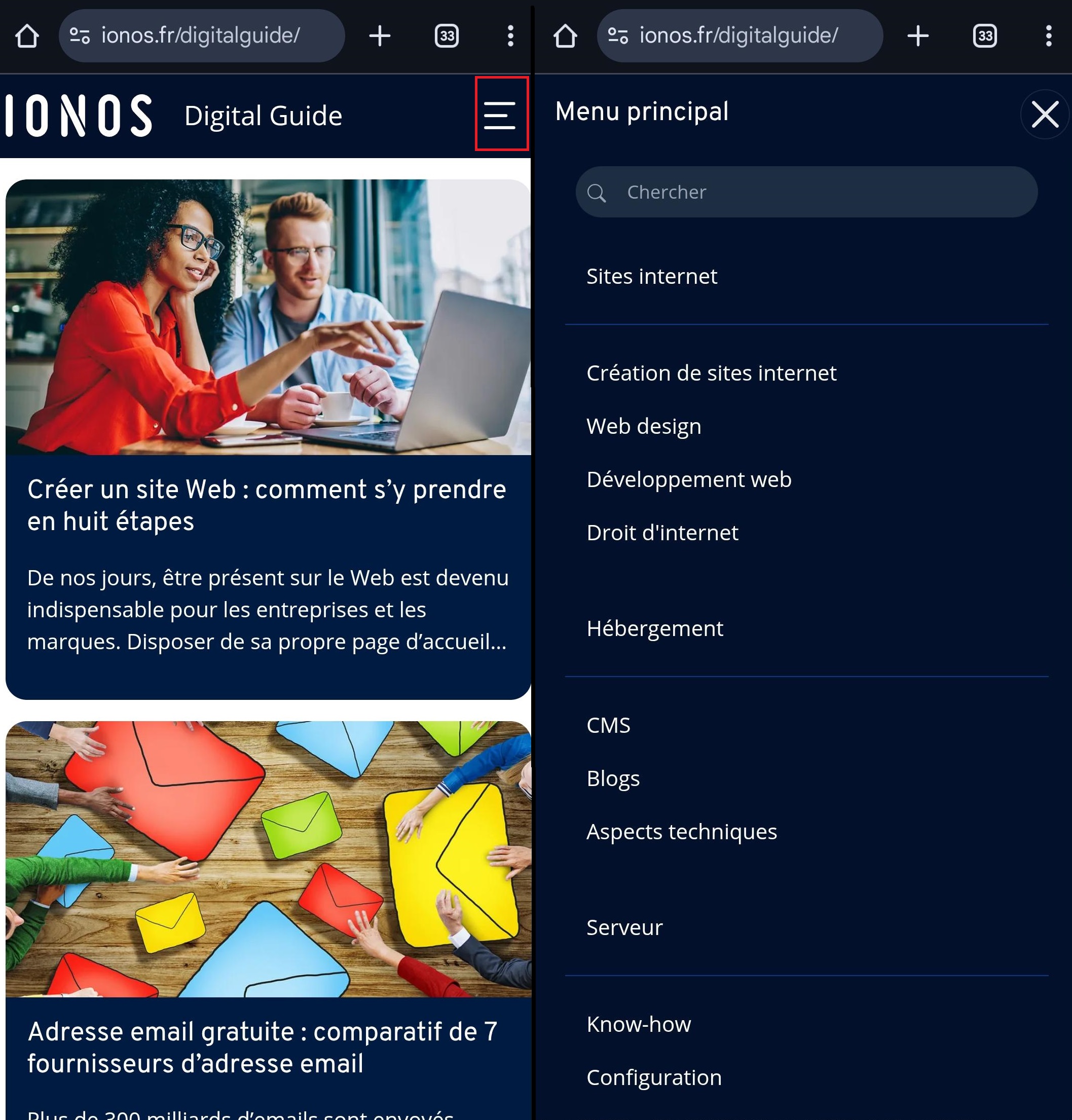
There are different possibilities to structure a navigation menu. Navigation in the form of a list and that in the form of a frame are the most common.
There Classic presentation by list is used for both navigation at a single level and for extended navigations on several levels. Its advantages include a Simple implementationas well as familiarity for users.
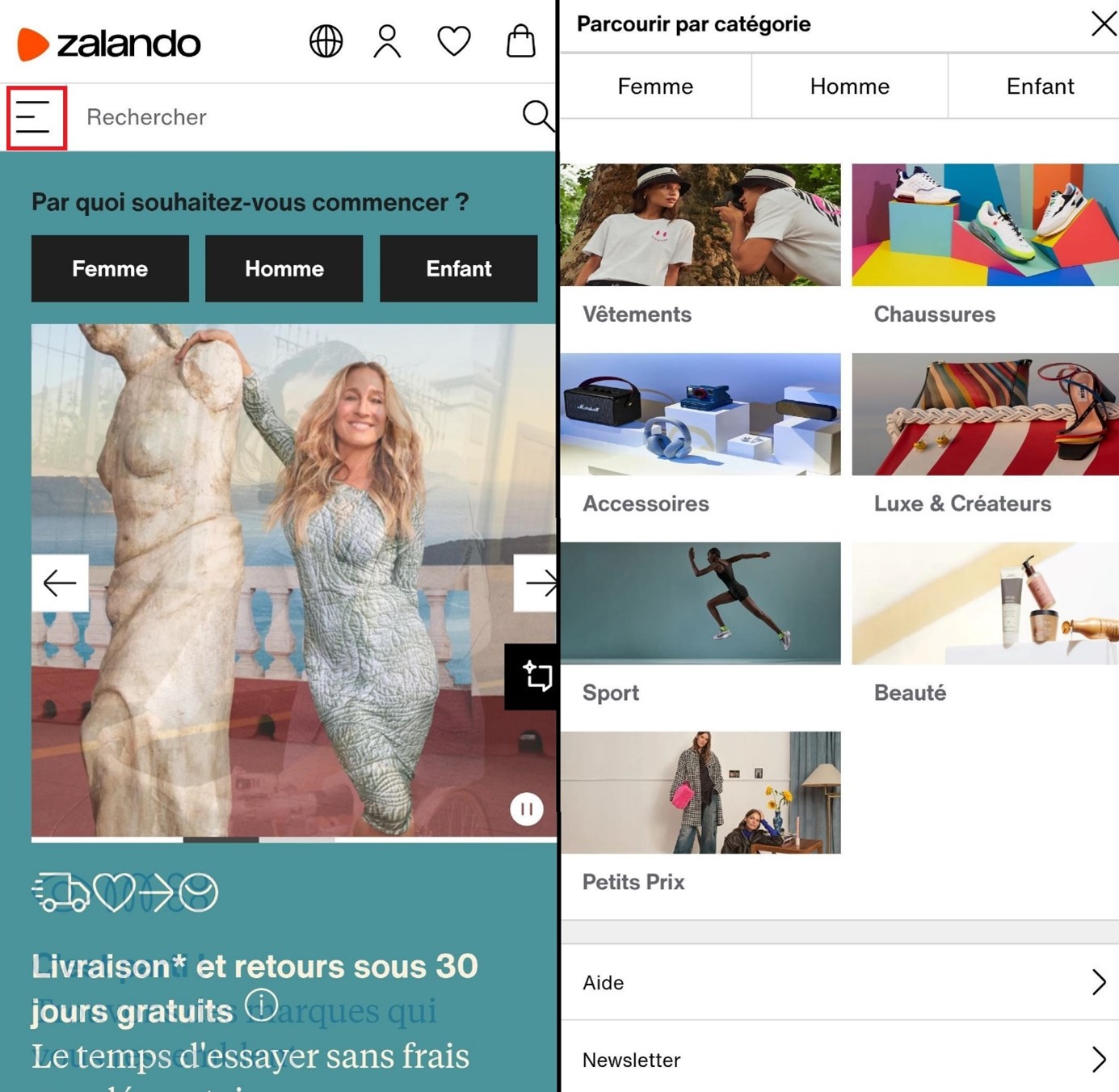
A navigation frame is essential for short navigation points And is particularly requested in e-commerce. The navigation points are displayed in the frame next to each other and the number of columns and the size of the screen depend on the size of the screen. If you choose a two -column frame, the number of navigation points must be peer to avoid an unbalanced presentation.
Note
For the two variants of navigation menu, it is possible to add subcategories that can be displayed or masked.
What are the mobile navigation concepts?
We now come to the central question: How is mobile navigation is based ? The way navigation is presented determines the concept. The presentation options are multiple: either the navigation menu is directly in the field of vision, or it only opens when you press it; Either she replaces the content, or she superimposes herself to him. We have gathered some examples below.
Note
Whatever the approach chosen for navigation, the « Hamburger » icon has become the standard for access to menus on mobile devices. This small icon, made up of three parallel horizontal lines, has imposed itself on smartphones and tablets like the universal symbol of a hidden menu.
The drop -down menus are among the classics of responsive navigation. They strongly recall the structure of current navigation on the desktop, are therefore familiar to users and are therefore a concept of navigation often chosen. The navigation is activated by pressing the corresponding button and is superimposed on the content without masking it completely.
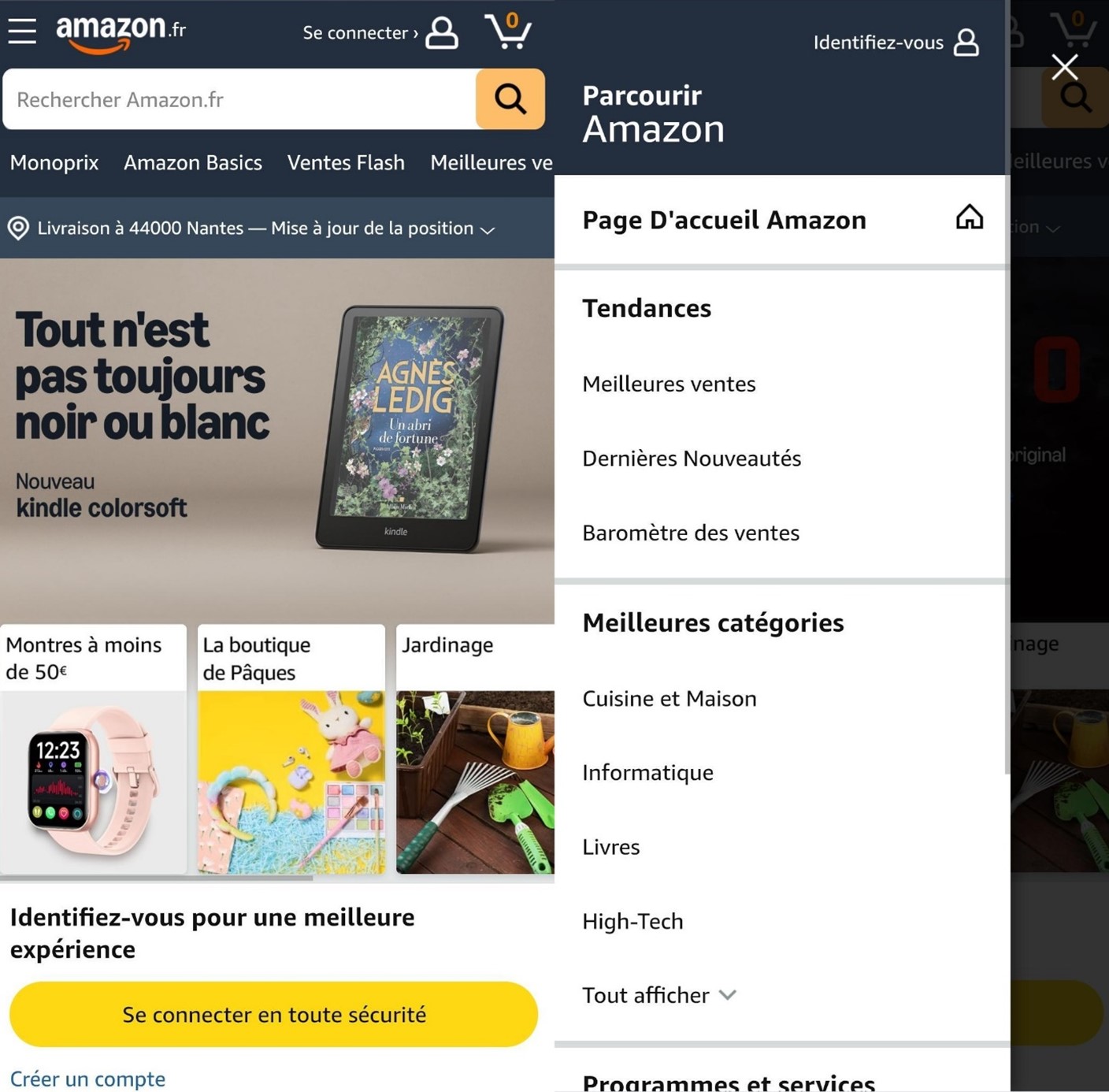
Slidedown navigation
Navigation ToggleOr Slidedown In English, is another widespread navigation mode. We are also talking about navigation in accordion in French. When you press the menu button, navigation opens. However, unlike the drop -down menu, this variant is not superimposed on the content: it slides it down. This type of navigation is a little more complex to implement, but is considered scalable and space -saving. Thanks to the possibility of incorporating under-natful points, it constitutes an elegant solution for simple menus as for more complex menus.
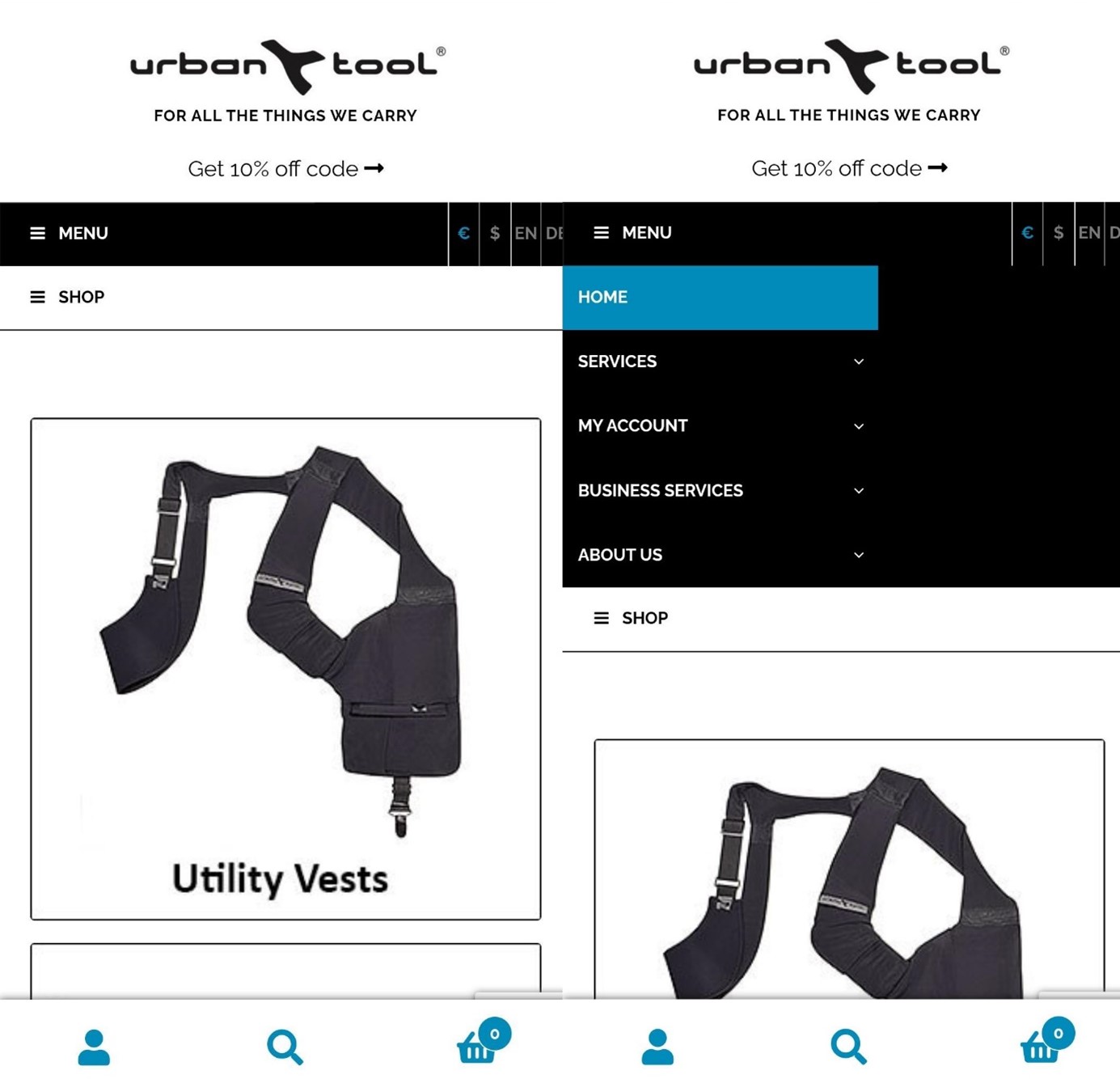
Lower navigation bar
The lower navigation bar is an increasingly popular solution for mobile applications and web pages, in which the menu is Displayed at the bottom of the screen. This type of navigation is particularly user -friendly, as it is easily accessible on smartphone. It is well suitable for projects with few navigation points, but essential, and offers a clear and refined structure that helps users quickly switch from one main section of the site to another.

Navigation off-canvas
This type of responsive navigation is outside the visible area of a website: the menu is not integrated into the layout. It is therefore a space -saving solution that saves space on your website. The menu appears After clicking on the menu icon And move the entire screen. This option is very suitable for large menu structures with many submenus.