

Whether professional or personal, a good email signature strengthens your image and credibility. In this article, find out which legal notices are mandatory, how to design an attractive signature and which models or tools can help you.
What should an email signature contain?
A good email signature brings together all important contact information, stays clear, and personalizes to your needs. The requirements differ depending on whether it is for professional or private use.
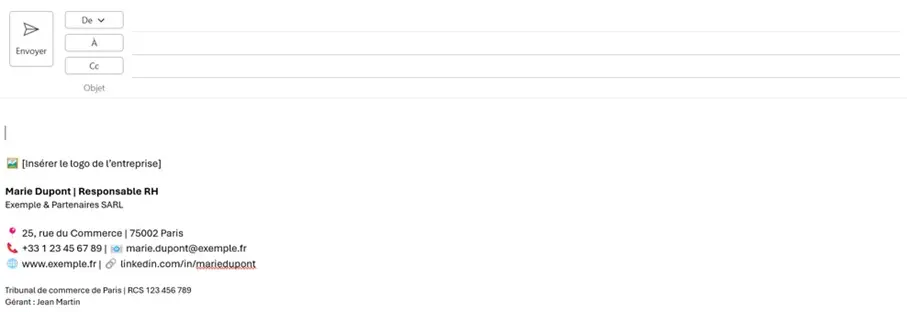
Mandatory information in a professional email signature
Since January 1, 2007, commercial emails have been considered business letters. Thus, for companies (SARL, SA, etc.), the signature must include:
- Company name with legal form as registered in the commercial register
- Head office (full and valid address)
- Registration number in the commercial register
- Name and surname of the manager(s), or members of the board of directors
- If applicable, the name of the chairman of the supervisory board
It is also recommended to indicate:
- Function of the sender in the company
- Phone number and email address
- Company website
- Possible links to social networks
Optionally, you can add practical information such as closing periods or events. On the other hand, avoid advertising elements. As for disclaimers inspired by the American model, they are not legally necessary.
For sole proprietorships or partnerships (e.g. self-employed, micro-enterprise), the obligations are less strict, but it is recommended to mention at least: name, full address and, if applicable, tax number or intra-community VAT number.
Professional email address
Discover a new way to process your emails
- Email address in your name
- AI features to write perfect emails (optional)
- Secure messaging with spam protection
Private email signatures
For personal emails, no legal obligation exists. However, a signature can prove useful, for example to share other means of contact or to highlight one's own projects.
Information typically included:
- First and last name
- Telephone or mobile number
- E-mail address
- Personal website
- Social media profiles
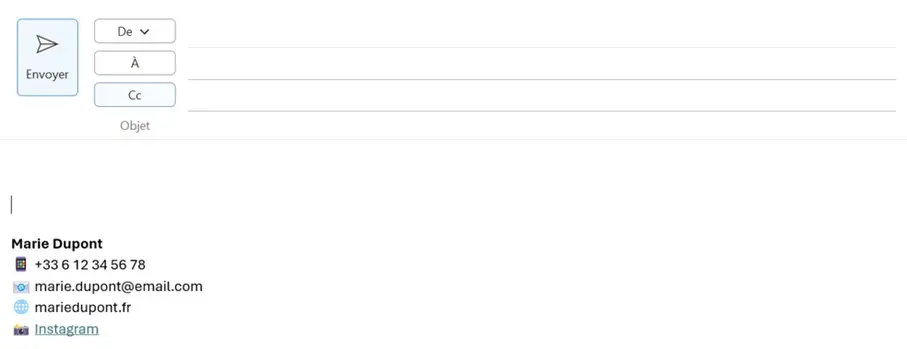
Additional elements such as quotes or emojis can be used, but in an ad hoc and context-appropriate manner.
What should an email signature look like?
The presentation of a signature strongly influences the image it conveys. A clear structure and simple formatting are essential.
Recommendations for a good layout
- Use paragraphs or vertical bars to separate information
- Limit to two fonts maximum
- Use company colors with discretion
- Maintain white space to make reading easier
- Optional: add an image or logo (use sparingly)
Fitness Tips
- Bold the name or function
- Use a reduced font size for legal notices
- Favor HTML format or rich text rather than plain text (but check compatibility)
Avoid busy designs: they hinder readability and give an unprofessional impression, as shown in the following example.
Optional design elements
- Company logo
- Sender photo
- Company slogan or catchphrase
- Information on closing periods
- Links to social networks
Make sure images are properly embedded and file sizes are kept small.
Email signature: models for different professions
Use these templates to quickly create your signature. Copy the professional email signature examples and adapt them to your needs!
Model 1: marketing and sales
John Dupont | Senior Marketing Manager
IONOS SARL · 7 place de la Gare · 57200 Sarreguemines
📞+33 1 23 45 67 89 | 📧 jean.dupont@ionos.fr
🌐 www.ionos.fr | 🔗 LinkedIn Profile
🖼 [Logo facultatif à insérer]
Model 2: medical office
Dr Sabine
General practitioner
Dr. Sabine’s office
12, rue de la Gare
75000 PARIS
📞 01 23 45 67 89 | 📠 Fax: 01 23 45 67 88
🌐 www.cabinet-dr-sabine.fr
🕒 Opening hours
🖼 [Logo facultatif à insérer]
Model 3: real estate agents
Pierre Martin
Real estate agent
🏢 Martin & Associés SARL
📍 25, avenue de la République, 75011 PARIS
📞 +33 6 12 34 56 78
📧 pierre.martin@martin-associates.fr
🌐 www.martin-associates.fr
👥 Facebook profile
🖼 [Logo facultatif à insérer]
Email marketing
Create newsletters and generate sales
- Drag-and-drop and AI features for intuitive design
- Many professional models to choose from
- Sending simple, GDPR-compliant emails


