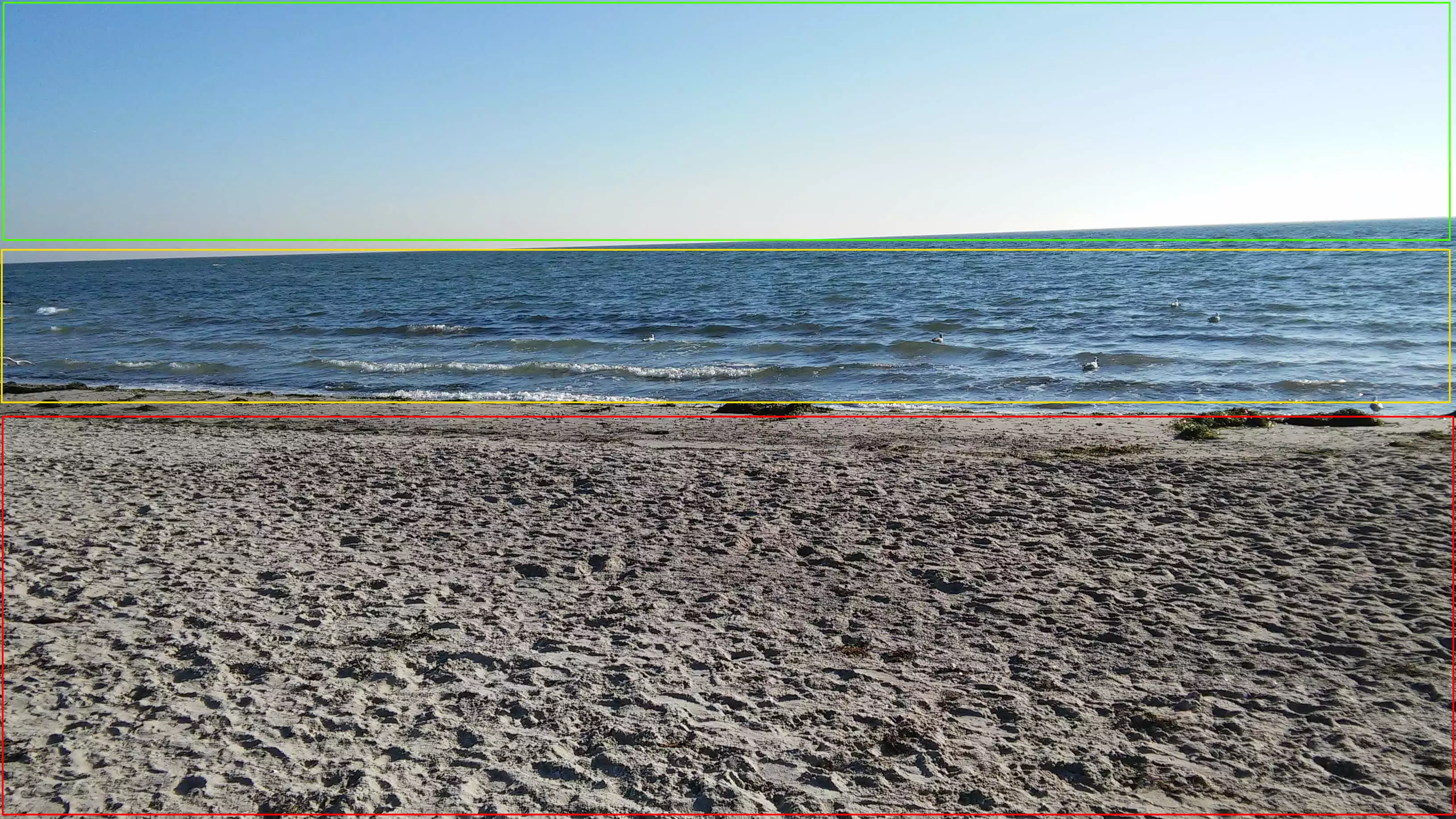
An HTML Image Map allows you to make different areas of an image or video clickable, directing users to internal or external links. These interactive areas are defined by specifying precise coordinates, which are then associated with the corresponding URLs.
What is an HTML Image Map?
HTML Image Maps (“image map” or “clickable map” in French) are interactive graphics that improve the usability of a site by allowing you toadd multiple clickable links to an image or video in an HTML document. These clickable areas can redirect to subpages, internal or external URLs, or allow file downloads. When users click on these areas, the corresponding actions are performed or related content is displayed.
The HTML tag (in English tag)
![]()
If you do not want to create your HTML Image Map yourself, you can use generators. With these online tools, you simply upload the desired image and then set the desired link targets in the desired areas.
Advice
Would you like to know more about the functions and possibilities of using HTML ? Our HTML tutorial for beginners gives you a quick and easy introduction to the markup language.
What can an HTML Image Map be used for?
An Image Map can be integrated into any HTML documentas soon as the reference zones are defined. The great strength of Image Maps lies in their ability to link several destinations within the same image or video. Here are some examples of application of HTML Image Maps:
- Geographic maps with clickable areas for regions, cities, company branches or gas stations
- Recipe images providing additional information about the ingredients depicted
- Advertising banners with links to different products, categories or services
- Additional information or advertisements inserted into videos
- Image Map Websites with Multiple Navigation Elements
- Displaying game modes, functions or levels in online games
Domain name
Your domain in one click
- 1 Wildcard SSL certificate per contract
- Included Domain Connect feature for simplified DNS setup
To create an Image Map, the HTML element
name must be used for the Image Map to be referenced. To simplify, the clickable card name allows you to anchor, link and address the desired target in a graphic or video. Here are others instructions on coordinates of linked reference surfaces.
The Image Map can be placed wherever you want in an HTML document. To do this, you define zones and coordinates (coords) with which you concretize the position, size and shape of the deflection surface. Areas can be placed as rectangles, polygons, or circles in a chart. The coordinates you use depend on the shape of the reference surface.
With the HTML attribute
area. To define the properties of the Image Map and its individual reference areas, the following HTML attributes can be used:
shape: the attributeshapeallows you to define the shapes of clickable areas in a chart. We can userectfor rectangles,circlefor circles, orpolyfor polygons. The syntax forrectEastrect = x1,y1,x2,y2Orx1Andy1correspond to the coordinates of the upper left corner, andx2Andy2in the lower right corner. The syntax forcircleEastcircle = xc,yc,radiusand for polygons,poly = x1,y1,x2,y2,x3,y3 ....coords: the attributecoordsspecifies the coordinates that delimit a clickable area. These coordinates are defined in pixels, often using a graphics editor.href: the attributehrefallows you to link the clickable area to a URL or an internal or external address.alt: the attributealtprovides alternative text in case of problems loading the Image Map, useful for text-based browsers or for accessibility.title: the attributetitledisplays a short informative text when the user hovers over a clickable area of the image.img: the tagimgis used to insert and display an image in an HTML document.
Web Hosting
State-of-the-art web hosting at the best price
- 3x faster, 60% savings
- High availability >99.99%
- Only at IONOS: up to 500 GB included
Once the Image Map has been finalized, it can be embedded into a website using the HTML tag

html
For the beach image in this example, three clickable areas have been defined in this case: the beach, the sea and the sky. Anyone who clicks in the areas is automatically redirected to the corresponding landing pages, which then open in a new window.