Pandas is an open source Python library specially designed for data analysis and handling. It simplifies the use of data tables and chronological series thanks to suitable structures and intuitive functions.
Domain name
Your domain in one click
- Domain .eu or .fr + free site publisher for 6 months
- 1 SSL WildCard certificate per contract
- 2 GB email box
What is Python Pandas for?
The Pandas Library is used in different data processing sub-domains. Thanks to a large number of suitable functions, a wide range of applications can be covered by Python Pandas:
- Exploratory data analysis (EDA) : Python Pandas facilitates exploration and general understanding of data sets. Functions such as
describe(),,head()Orinfo()Allow developers to have a quick overview of data sets and identify statistical relationships. - Cleaning and pre -treatment of data : data from different sources must often be cleaned and formatted in a coherent manner before they can be analyzed. Here too, Pandas offers a multitude of functions to filter or transform data.
- Handling and transformation of data : The main task of Pandas is the manipulation, analysis and transformation of data sets. Functions such as Merge () or Groupby () allow complex data on data.
- Visualization of data : another field of practical application appears in combination with libraries like Matplot Or Seaborn. In this way, pandas data frames can be directly converted into significant or traced diagrams.
Advantages of Python Pandas
Pandas offers many advantages that make it an essential tool for data analysts and researchers. His API intuitive and easy to handle ensures great conviviality. Like central data structures DataFrame And Series look like spreadsheets, his learning is relatively accessible, even for beginners. Another central advantage of Pandas is its power. Although Python is generally considered to be a rather slow programming language, Pandas can effectively treat large sets of data. This is due to the fact that the library is written in C and that it uses optimized algorithms.
Python Pandas supports many data formats, such as CSV, Excel and SQL files, which allows you to easily import and export data from different sources. Its compatibility with other Python libraries, such as Numpy And Matplotstrengthens this flexibility and allows in -depth analysis and modeling of data.
Note
If you are already familiar with languages like R or SQL, you will find many similar concepts with Pandas.
Pandas syntax
To illustrate the basic pandas syntax, take a simple example: suppose that we have a CSV file containing information on sales. We will load this data set, examine it and perform some basic manipulations. Here is a simplified example of a sales dataset, with the columns « date », « product », « quantity » and « price ». The data set is structured as follows:
Date,Produit,Quantité,Prix
2024-01-01,Produit A,10,20.00
2024-01-02,Produit B,5,30.00
2024-01-03,Produit C,7,25.00
2024-01-04,Produit A,3,20.00
2024-01-05,Produit B,6,30.00
2024-01-06,Produit C,2,25.00
2024-01-07,Produit A,8,20.00
2024-01-08,Produit B,4,30.00
2024-01-09,Produit C,10,25.00
Step 1: import of pandas and loading the data set
After importing Pandas, you can create a dataframe from CSV data using Read_CSV ().
import pandas as pd
# Chargement de l'enregistrement à partir d'un fichier CSV nommé sales_data.csv
df = pd.read_csv('sales_data.csv')
python
Step 2: Examination of all data
We obtain a first overview of the data by displaying the first lines and a statistical summary of the data set. For this, we use the functions head() and Describe (). The latter gives an overview of important static figures such as the minimum and maximum value, the standard deviation or the average.
# Affichage des cinq premières lignes du dataframe
print(df.head())
# Affichage d’un résumé statistique
print(df.describe())
python
Step 3: data handling
Data handling also works with Python. In the following code extract, the sales data must be aggregated by product and per month:
# Conversion de la colonne « Date » en un objet Datetime, afin que les dates soient reconnues comme telles
df['Date'] = pd.to_datetime(df['Date'])
# Extraction du mois à partir de la colonne « Date » et stockage dans une nouvelle colonne appelée « Mois »
df['Mois'] = df['Date'].dt.month
# Calcul des revenus (Quantité * Prix) et stockage dans une colonne appelée « Revenus »
df['Revenus'] = df['Quantité'] * df['Prix']
# Agrégation des données de vente par produit et mois
sales_summary = df.groupby(['Produit', 'Mois'])['Revenus'].sum().reset_index()
# Affichage des données agrégées
print(sales_summary)
python
Step 4: Data visualization
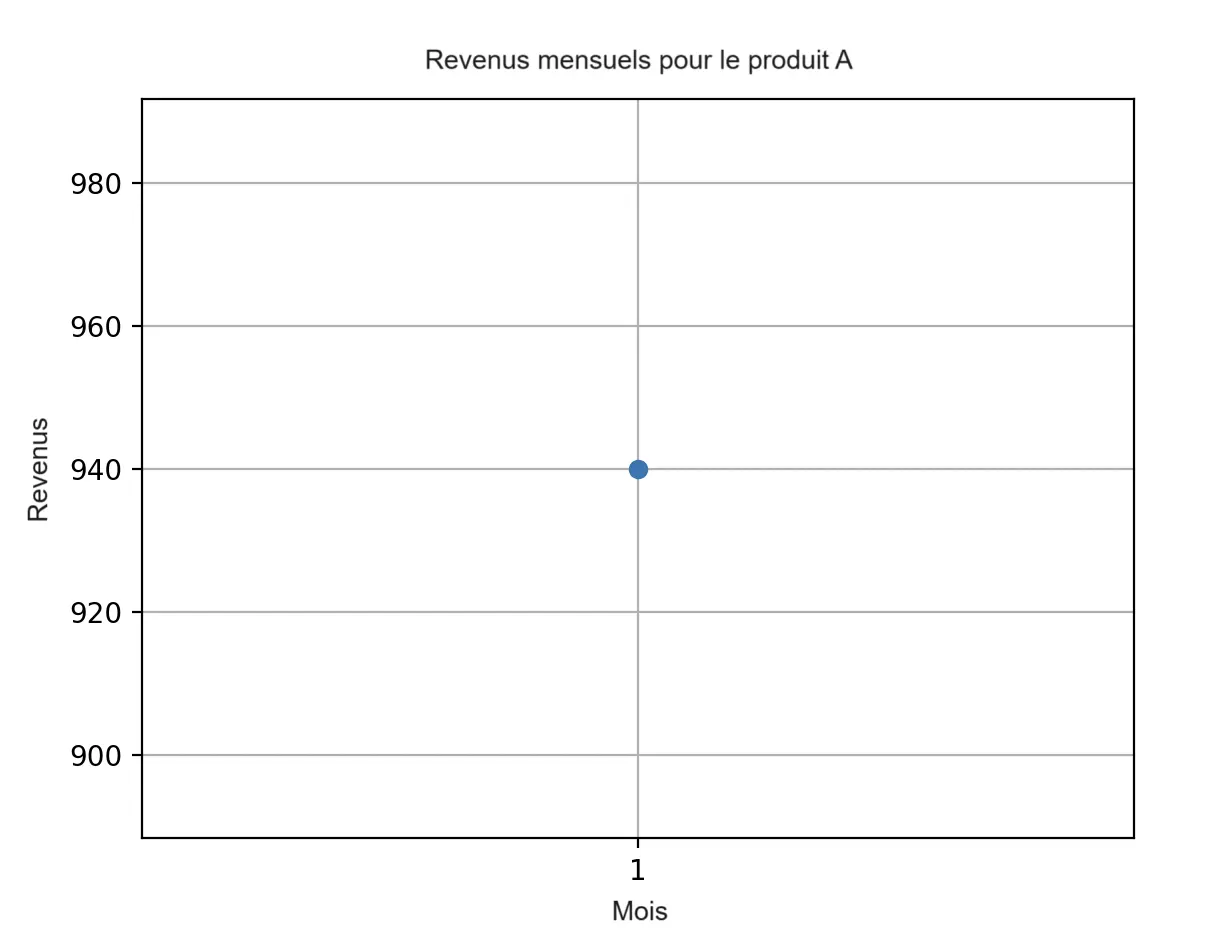
Finally, it is possible to view the monthly sales figures for a product using the additional Python library Matplot.
import matplotlib.pyplot as plt
# Filtrer les données pour un produit spécifique
product_sales = sales_summary[sales_summary['Produit'] == 'Produit A']
# Créer un graphique linéaire
plt.plot(product_sales['Mois'], product_sales['Revenus'], marker="o")
plt.xlabel('Mois')
plt.gca().set_xticks(product_sales['Mois'])
plt.ylabel('Revenus')
plt.title('Revenus mensuels pour le produit A')
plt.grid(True)
plt.show()
python
The visualized graph shows that during the first month of the year, € 940 were collected with product A. It presents itself as follows: